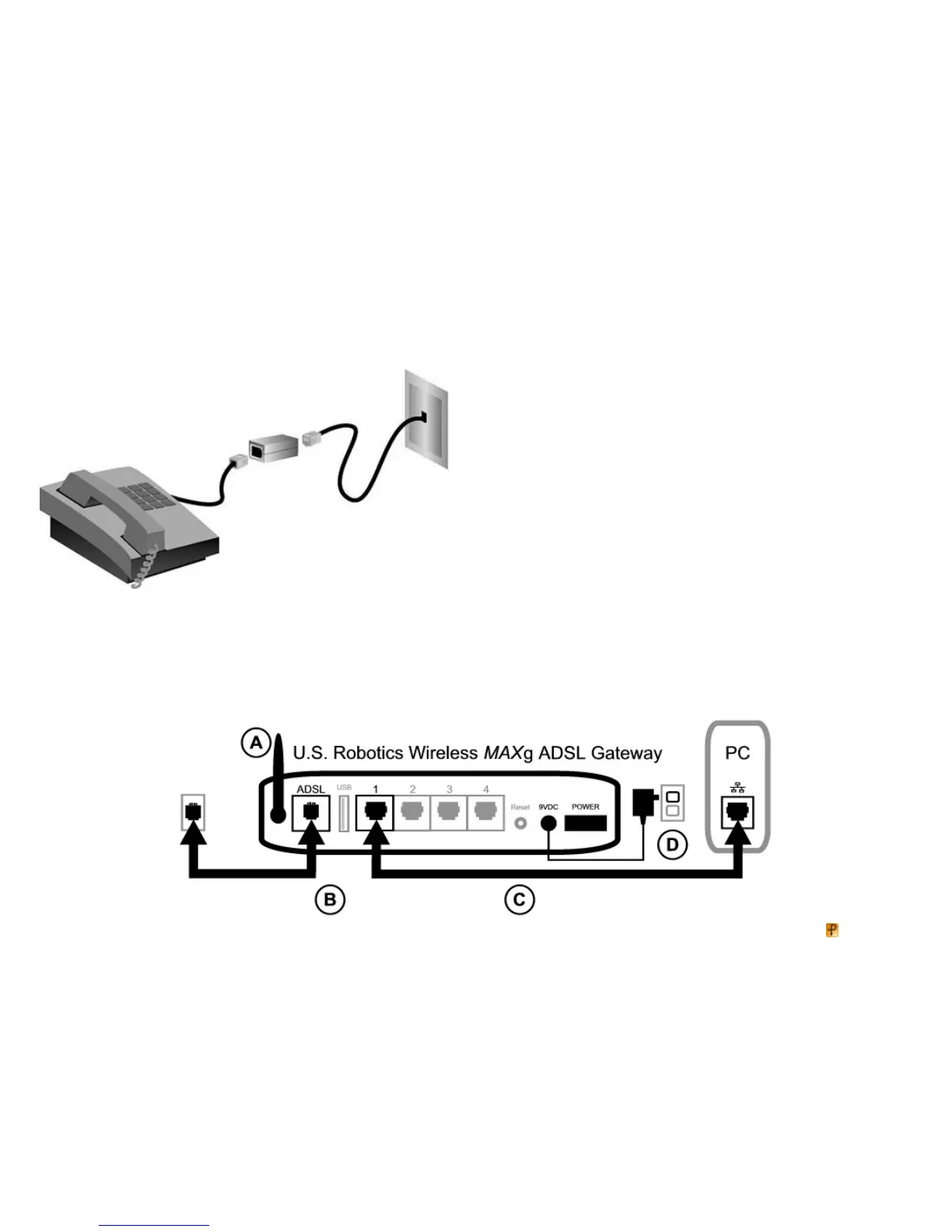
To install a microfilter, plug each device (phone, fax machine, or other telephony device) into the microfilter, and then plug the microfilter into the telephone wall jack.
Do not install a microfilter on the cable that connects your ADSL gateway to the telephone jack unless your microfilter has a connection for both the gateway and the
phone.
S t e p 2 . C o n n e c t t h e A n t e n n a a n d C a b l e s
To configure the gateway, you will initially use the supplied yellow Ethernet cable to connect it to the computer. You can set up a wireless connection later in the
installation process, once the gateway is communicating with the Internet.
This diagram shows you how the devices will be connected when the installation is complete:



 To Next Page