Page 12
CALIBRATION
1. Turn on the scale by holding ON/OFF for 2 seconds.
2. Press HOLD and PRINT together to access the setup menu.
3. If done correctly, the display should now show C01.
4. Press PRINT to access the C1 channel. The display should show [C1 #].
5. Press ZERO to choose which unit you want to calibrate in (1 = kg, 2 = lb).
6. Press PRINT to set the value. The display will now show C02.
7. Press PRINT to access the C2 channel. The display should show [C2 #].
8. Press ZERO to change the setting to the decimal places desired (The C2 channel is used
to adjust the decimal point on the scale. A value of 1 means there is one digit behind
the decimal point.)
9. Press PRINT to set the value. The display will now show C03.
10. Press PRINT to access the C3 channel. The display should show [C3 #].
11. Press ZERO to cycle through the values until the desired graduation appears. (The C3
channel adjusts the divisions on the scale. A value of 1 selected and C2 set to 1, the
scale will read in 0.1 lb. increments.)
12. Press PRINT to set the value. The display will now show C04.
13. Press PRINT to access the C4 channel. The display will show [######].
14. Enter in the maximum capacity you want to use for this scale by using UNIT and
COUNT to move the cursor left and right, and TARE and ZERO to move the values
down and up. (The C4 channel is used to enter in the max capacity of the scale; Make
sure this doesn’t exceed the max capacity of the scale; Max capacity divided by the
increment set in C02 and C03 above cannot exceed 5000.)
15. Press PRINT to set the value. The display should show [C5 0]
16. Press PRINT to access the C5 channel. The display should show [C5 0].
17. The C5 channel calibrates zero on the scale. Make sure the scale is empty.
18. Press ZERO to change the value to 1.
19. Press PRINT. The display will count down from 10-1 while the scale is calibrating zero.
When the display shows 0 the zero calibration is complete.
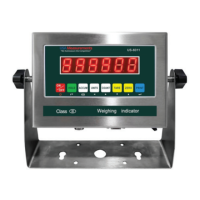
US-6011 oers 2 calibration methods, Single Point which uses one weight
to calibrate or Linear Calibration, which uses multiple (2�7) weights for a
more accurate calibration.



 To Next Page
 Loading...