Page 31
FAQs
Q: The scale does not turn on
A: Ensure that your cord is properly plugged into the wall socket when there is power
supply. Conrm that there is power supply. One easy way to test this is by connecting
another appliance to the same outlet and see if it is working.
Q: The reading goes negative when a load is applied
A: Try interchanging the Sig+ and Sig- wiring connected to the load cell and/or junction box
(if
one is used)
Q: How do I resolve Err6 error?
A: Please follow the procedure below:
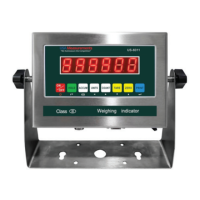
1. Turn on the indicator and make sure nothing is on the scale, and that the scale is
stable and not wobbling
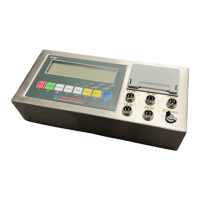
2. Press and hold the “PRINTandHOLD” button together for a few seconds
3. The screen will display “C01”
4. Change C01 to C20 using the arrow buttons . You have to change the 1
st
digit from
0 to 2 rst before you can change the 2nd digit 1 to a 0.
5. Press “PRINT” key to enter C20 parameter
6. Change the value of C20 on the right to 100 if possible using the up arrow key.
7. If 100 is not available change to 20
8. Press “PRINT” key to enter your selection
9. The screen will display “C21”
10.Press “PRINT” key to enter C21 parameter
11.Change the value on the right of C21 to 100 if available, 20 if not
12.Press “PRINT” key to enter your selection
13.The screen will display “C22”
14.Press “TOTAL” key to save and exit
15.Restart the indicator, and see if this resolves the ERR 6 issue. If not, then following
the Q&A answers below for resolving “nnnnnn”and “uuuuuu” errors
Q: How do I resolve “nnnnnn” and “uuuuuu” error?
A: 1. Check to see if the cable that runs from the indicator to the junction box is damaged.
If it is, replace the cable.
2. Open up the junction box (if available) and check to see if there is any water damage.
If so, replace the junction box
3. Make sure all the wires on all 5 terminal blocks (5 wires on each terminal block)are
not loose. Re-tighten the screws even if the wires seem to be connected
4. Recalibrate
5. If steps 1-4 do not work, there is a possibility one or more load cells are defective
(consult with sales@usameasurements.com for further instructions)



 To Next Page
 Loading...