Page 7
POWER SUPPLY
The indicator has a 110V power adapter with an option to use the rechargeable battery at
one’s convenience.
When using the power adapter:
It is recommended that the power adapter should be plugged into a wall socket to avoid
interference with other electrics. There is a DC pin at the bottom of the indicator where you
can plug the adapter to while using the indicator.
When using the rechargeable battery:
If it is the rst time of using the rechargeable battery, ensure that the internal battery is fully
charged. It is important that you discharge the battery completely every month to keep the
battery in its best condition. When you want to discharge the battery, you are required to
leave the indicator on until the indicator powers goes o. Remove the battery when it is not
being used for a long period of time to prevent leakage.
We advise that you use the 110V AC adapter provided upon purchase of the indicator to
prevent any form of damage to your indicator.
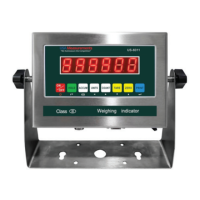
Battery signs for LED series:
The battery indicator ashes red when the battery is low; and stays lit during the charging
process. You can unplug the charger when the light turns green because the green light
indicates a full charge.
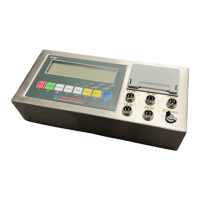
Battery signs for LCD series
means that the battery is fully charged
means that the battery needs to be charged
means that the battery is charging
US�6011MS (LED)
US�6011MS (LCD)



 To Next Page
 Loading...