Page 8
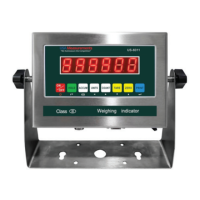
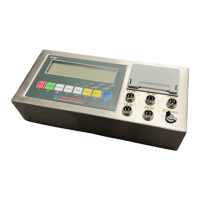
DISPLAY AND KEY DESCRIPTION
DISPLAY
FUNCTION
DESCRIPTION
ON/OFF Press for 2 seconds, to on or o the indicator
HOLD
TOTAL 1. accumulates weights
2. performs the accumulation function and accumulation result,
alongside the “Print” function.
UNITS Indicates changes in weighing units
COUNT To count products based on a sample weight, use the scale.
TARE 1. Resets the scale to zero when something is on it (ex. Tare out the
weight of pallet to weigh only the product on it).
2. Removes the tare to see the gross weight (pallet + product)
ZERO Indicates that the scale is zero
PRINT Means data should be printed ; conrms inputs
Shows that the scale is at zero
Shows that the scale is stable
Gross Shows when in Gross weight mode, including Tare; default mode
Net Shows when in Net weight mode, without tared weight
Total Shows when in accumulation mode
Hold Shows when in Hold mode
Ib Indicates weight in pounds
Kg Indicates weight in kilograms
Battery Blinking red- low battery, Solid red – charging, Green- fully charged.
Over Blinks when weight is higher than the set alarm parameter
Accept Blinks when weight is within the set alarm parameter
Under Blinks when weight is lower than set parameter
Power
Back
Save and Exit
Arrow keys
Return/Enter/print



 To Next Page
 Loading...