5
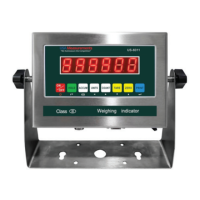
DISPLAY AND KEY DESCRIPTION
ON/OFF Powers the Indicator On or Off if held for 2 seconds
SWITCH Switch the weight between the pad weight and the total weight
CHECK Check and read the saved weight data to print
KG/LB Shifts between weighing units (kg/lb)
TARE 1. Zero’s the scale. Used when using a container to hold objects
2. Clears the tare to see the gross weight
ZERO Zero’s the scale
STORE In accumulative weighing mode it accumulates the axle weight and
prints the weight data
PRINT 1. Print data
2. Works with the switch button to enter the calibration menu
Total Shows you are in Accumulation mode
The scale is at zero
The scale is stable
Net Shows you are in Net weight mode (without tare)
Gross Shows you are in Gross weight mode (includes tare); default mode
Tare Shows you have tared the scale
Indicates the charge of the battery
lb The weight is shown in pounds
kg The weight is shown in kilograms
Shows the percentage of weight on the pad out of the total weight
LFW The weight of the Left front wheel
RFW The weight of the Right front wheel
LRW The weight of the Left rear wheel
RRW The weight of the Right rear wheel
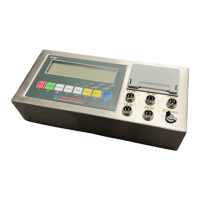
Power
Back
Save and Exit
Arrow keys
Return/Enter


 To Next Page
 Loading...