6
OPERATING INSTRUCTIONS
Power On
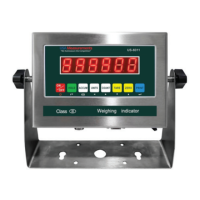
● Turn on the power by pressing the power button for 2 seconds. Once on, the scale
will ash the voltage and then begin to auto-check and count down from 0-9
sequentially before entering the weighing mode
Note: Anything on the scale before powering on will automatically be tared out.
Zeroing
● The zero function is used only when the scale is empty and is not at gross zero due
to material build up
● Pressing the ZERO key will reset your scale to 0
● Depending on what your manual zero range parameter is set to, you can zero out
any number within your set selection, after that you will receive an error and will
need to tare out the weight
Unit Selection
● To switch between measuring units (kg or lb) press the KG/LB key
Tare Function
● The Tare function is used when you only wish to see the current change in weight,
not the entire amount of weight that is on the scale
● When the indicator is in normal gross mode pressing the TARE key will Tare the
current weight on the scale and enter the net mode
● To exit Tare mode press the TARE key again to enter gross mode
To use a pre-set tare weight
● Press and hold the tare key for 2 seconds
● Input the tare weight using the arrow keys
● Press print key to conrm
Check
● The check key is used check previously saved weights
● In weighing mode, press CHECK key to show “
C
####”
● ex. if there are 30 records saved it will display “
C 0030
”
● If you wanted to check the 20th saved weight you would input “
C 0020
” and
press PRINT to check the 20th record
● The display will show “
REAd-0
”. Choose “1” and press PRINT
● The screen will ash the date, time, axle, tare weight and total weight one by one
● Then the screen will show “
Print 0
”, enter “1” and press PRINT to print this
record and go back to the Checking display “
C 0020
”
● Press CHECK key again to exit and return to weighing mode


 To Next Page
 Loading...