— 03 —
Function
1
2
3
4
5
6
7
8
9
10
11
12
13
14
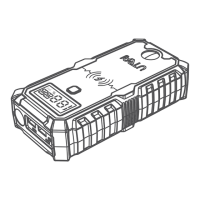
Power Button
Power Level
Indicator Lights
Type-C Input /
Output Port
LED Flashlight
Situation
Normal, SOS, Strobe, and Off
EC5 Output Port Insert the plug into the jump starting port
Compass Direction
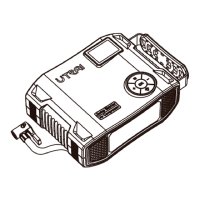
ON / OFF Button Turn ON / Turn OFF the jump starter
LED Indicator Show the work status of the battery clamp
Battery Clamps Plug Insert the plug completely into the jump starter
Red Battery Clamp Connect to positive terminal of the car battery
Black Battery Clamp Connect to negative terminal of the car battery
Charge your devices or charge the starter
• Press the button to show the remaining capacity.
• Long press the button to turn on / off the flashlight.
• When the flashlight turn on, press the button to
change the flashlight.
Showing the charging progress:
25%, 50%, 75%, 100%
USB Output Port 1
Charge your phone, tablet, camera, etc.
75% faster than a standard charge
USB Output Port 2
Charge your phone, tablet, camera, etc.
75% faster than a standard charge
DC 12V/8A
Output Port
Charge your devices



 To Next Page