Calls on Freedom Earbuds:
Ensure that the “MAIN” earbud is paired with the designated handset.
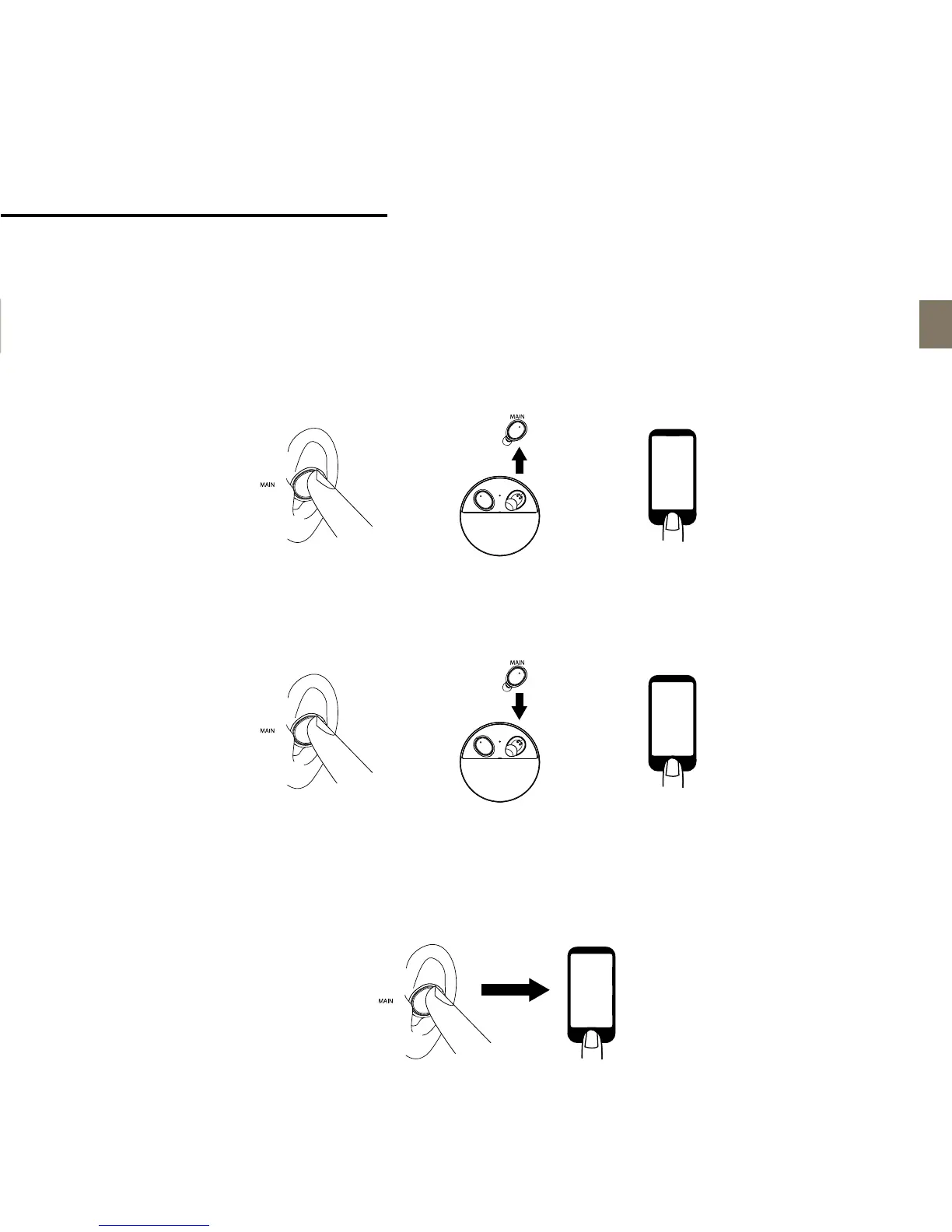
To answer an incoming call
Option 1: Press the button on “MAIN” earbud once to answer an incoming call.
Option 2: Lift the “MAIN” earbud from the charging pod to answer an incoming call automatically.
Option 3: Press Answer button of your phone.
TIP: Only the “MAIN” earbud should be used for taking the phone call.
To end a call
Option 1: Press button on the “MAIN” earbud once to end the call.
Option 2: Put the “MAIN” earbud back on the charging pod to end a call automatically.
Option 3: Press End button of your phone.
To reject a call
Press and hold the button on the “MAIN” earbud for 2 seconds to reject an incoming call.
How to transfer the call from earbud to the device
Press and hold the button on the “MAIN” earbud for 2 - 4 seconds to transfer the call to the device.


 To Next Page