Need help?
Do you have a question about the UWANT U200 and is the answer not in the manual?
Important safety precautions for the main robot unit.
Important safety precautions for the cleaning base unit.
General notes for safe operation of main unit and base.
Lists all included accessories with the robot vacuum cleaner.
Details the components and buttons on the main robot unit.
Details the functions and indicators of the cleaning base.
Steps for setting up the robot and base, including placement.
Guide to downloading and connecting the mobile application.
How to switch on/off, charge, pair, and initiate cleaning modes.
Explains the meaning of different indicator lights.
Instructions on cleaning and replacing roller and side brushes.
Procedures for emptying and cleaning the dust box and filter.
Guide to cleaning and replacing the mopping pads.
Cleaning sensors, wheels, dust bag, dust path, and base components.
Addresses common errors and solutions for the robot vacuum.
Addresses common errors and solutions for the cleaning base.
Answers to frequently asked questions about operation and performance.
Technical details for the robot vacuum and its base station.
The UWANT U200 Smart Robot Vacuum Cleaner is an intelligent cleaning robot designed to automate floor cleaning. It offers both sweeping and mopping functionalities, along with an auto-recharge and self-cleaning base for convenience. The device is suitable for indoor use and aims to provide a comprehensive cleaning experience.
The main unit of the UWANT U200 is a circular robot vacuum equipped with various sensors and cleaning components. It features a Lidar pressure sensor, IR receiving sensors, and a wall sensor for navigation and obstacle detection. The robot has a main switch button for turning it on/off, initiating house cleaning, and pausing operations. A dedicated recharge button sends the robot back to its cleaning base, while a spot cleaning button allows for focused cleaning of a 1.6m x 1.6m area.
On the underside, the robot is equipped with omni-directional wheels and drive wheels for movement, side brushes (x2) for edge cleaning, and a roller brush for deep cleaning. It also has cliff sensors (x4) to prevent falls, carpet sensors for automatic detection, and a dust collection port for emptying its internal dust box. The mop holder assembly, which includes two mops, can be attached to the bottom groove for mopping tasks.
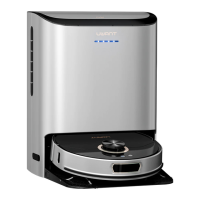
The cleaning base, also referred to as the Smart Base Station, serves multiple functions: charging, automatic dust collection, and mop washing/drying. It has a top cover that opens to reveal a clean water tank, a wastewater tank, and a dust bag compartment. The base features a function button for starting/pausing operations and initiating self-cleaning cycles. Status prompts on the base indicate conditions such as low clean water level, a full dust bag, or a full wastewater tank. IR lenses and charging contacts on the base facilitate communication and connection with the robot. A transparent dust channel and dust inlet are part of the automatic dust collection system, while a sewage outlet is used for draining wastewater.
To begin using the UWANT U200, the robot vacuum must first be removed from its packaging, and the mop holder assembly should be inserted into the bottom groove of the robot. The cleaning base needs to be placed in an open area, ensuring at least 0.5m of clear space on both sides and 1.5m in front, and connected to a power supply. The clean water tank in the base should be filled with clean water and a small amount of detergent (ratio 1:200, about 6ml per bottle cap for 3400ml capacity).
The robot and base communicate wirelessly, and pairing is initiated by pressing and holding specific buttons on both devices for 5 seconds. A voice broadcast confirms successful pairing. The robot can be turned on by pressing and holding its switch button, entering a standby state. Pressing the switch button again initiates house cleaning, during which the robot scans and maps the environment, cleaning in a wall-following mode before switching to a random bounce mode. After cleaning, it automatically returns to the base for recharging. Spot cleaning can be activated by pressing the spot cleaning button when the robot is in standby or paused.
The cleaning base offers self-cleaning functionality. When the robot is on the base, pressing the self-clean button initiates a cycle to wash and dry the mop and charge the robot. If the robot is not on the base, pressing this button will command it to return to the base for mop washing and subsequent cleaning. The robot will automatically enter a sleep state if inactive for more than 20 minutes, requiring a button press on the unit or interaction via the app to wake it up.
The UWANT U200 is designed to automatically collect dust after cleaning, returning to the base for this process. In case of unresponsiveness or inability to turn on, a forced shutdown button allows for system reset, which clears scheduled cleaning settings and cleaning mode preferences. A factory reset option is also available by pressing and holding specific buttons for 5 seconds.
For optimal performance, it is recommended to start cleaning with the main unit in the charging position on the cleaning base. If the battery is low during cleaning, the robot will automatically return to the base to charge and then resume cleaning from where it left off. Users should ensure the cleaning area is clear of fragile items, sundries, and power cords to prevent blockages or damage. It is also advised not to stand in front of the robot while it is operating, as this can interfere with its area recognition.
The device can be controlled and monitored via a mobile application, "UWANT HOME," available on iOS and Android. After downloading and registering, users can add their device and manage cleaning tasks. The app may offer additional features and controls, and users should follow the in-app guides for the most up-to-date instructions due to potential app upgrades.
Regular maintenance is crucial for the UWANT U200 to ensure its longevity and effective cleaning performance. All cleaning steps should be performed when the robot is powered off.
Regularly checking for and addressing error messages (e.g., radar blocked, crash barrier stuck, low battery, abnormal temperatures, fan issues, full dust box/wastewater tank) as described in the troubleshooting section will help maintain the device's performance. Resetting the system can often resolve minor exceptions.
 General
| Dust Tank Capacity | 0.6 L |
|---|---|
| Runtime | 45 minutes |
| Power | 120W |
| Dust Capacity | 0.6 L |
| Cord Length | Cordless |
| Filter Type | HEPA |

 To Next Page