EasyManua.ls Logo

V-TAC VT-5003 - User Manual

V-TAC VT-5003
157 pages
Go to English
Print Icon
To Next Page IconTo Next Page
Loading...
TABLE OF CONTENTS
FRENCH ........................................................................1-12
GERMAN.......................................................................13-24
BULGARIAN..................................................................25-36
CROATIAN....................................................................37-48
PORTUGUESE ............................................................49-60
ITALIAN.........................................................................73-84
ROMANIAN...................................................................85-96
GREEK .......................................................................97-108
SPANISH...................................................................121-132
CZECH......................................................................133-144
ENGLISH...................................................................145-156
POLISH ....................................................................109-120
HUNGARIAN.................................................................61-72
Question and Answer IconNeed help?

Do you have a question about the V-TAC VT-5003 and is the answer not in the manual?

Summary

Installation Instruction

Introduction & Warranty

Provides details on product warranty and introduction to the V-TAC product.

Installation Guide

Guides users through the setup and installation process for the product.

Product Specifications and Wiring

Specifications Overview

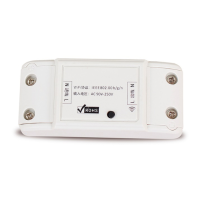
Details product specifications including model, SKU, voltage, and wattage.

Wiring Instructions

Provides essential instructions and diagrams for electrical wiring connections.

V-TAC Smart Home App Setup

App Registration and Initial Pairing

Guide to installing, registering, and beginning device pairing with the V-TAC Smart Home app.

V-TAC Smart Home App Continued Setup

Wi-Fi Connection and Device Naming

Steps for connecting the device to Wi-Fi and assigning a name within the V-TAC Smart Home app.

V-TAC Smart Home App Features

Device Sharing and Scheduling

Explains how to share device access and set schedules for device operation.

Timer Functions

Details timer options for turning devices ON/OFF at specific times.

Alexa Integration Setup

Amazon Alexa App Setup and Skill Enabling

Steps for installing Alexa app, logging in, and enabling the V-TAC skill.

Alexa Device Linking and Discovery

Linking V-TAC Account and Discovering Devices

Process of linking V-TAC Smart Home credentials and discovering the device with Alexa.

Alexa Commands and Final Checks

Voice Commands and Pre-installation Checklist

Lists example Alexa voice commands and essential items for installation.

Google Home Integration Setup

Google Home App Setup and Device Addition

Guide to installing the Google Home app and adding new devices.

Google Home Device Linking

Linking V-TAC Smart Home to Google Home

Steps to link the V-TAC Smart Home account and select devices for Google Home.

Google Home Device Control

Selecting Home and Device Control

Assigning devices to a home and controlling them via ON/OFF options.

Google Home Commands and Checks

Voice Commands and Pre-installation Checklist

Lists example Google Home voice commands and essential items for installation.

V-TAC VT-5003 Specifications

General IconGeneral
ModelVT-5003
Voltage220-240V
IP RatingIP20
Power SupplyMains
MountingWall Mounted

Related product manuals