!
!
!
Programming,Manual!
!
!
!
As!a!replacem en t!fo r!an!Astrell!or!Avidsen!(2
nd
!or!3
rd
!type!of!receiver)!
!
!
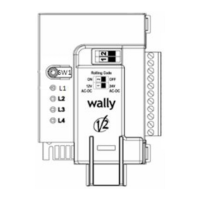
Second!type!of!receive r:!
!
!
!
!
!
!
!
!
!
!
!
!
!
!
!
1.!!!!!Open!the!casing!of!your!receiver.!It!is!lo ca ted !next!to!your!motor.!
2.!!!!!On!the!receiver!circuit!board,!press!the!button!RF.!Keep!it!pressed!down.!The!LED!light!on!the!
receiver!illum in a te s! (L 1).!Let!th e!button!go.!
3.!!!!!During!the!follow in g ! 10!seconds,!press!the!button!on!your!new!remote!control.!Let!it!go.!The!
LED!light!on!the!receiver!blinks.!
4.!!!!!Wait!10!seconds.!
5.!!!!!Your!new!rem o te!con trol!is! programm ed.!
!
Third!type!of!receive!:!
!
!
!
!
!
!
!
!
!
1.!!!!!Open!the!casin g ! of!you r!receive r.!It!is!located!next!to !your!motor.!
2.!!!!!On!the!receiver!circuit!board,!press!the!programming!button!RX.!Keep!it!pressed!down.!The!
LED!light!on!the!receiver!illu minates!(L d1 ).!Wait!5!seconds.!The!LED! lig h t!on !the!receiver!
turns!off.!Let!the! button!go.!
3.!!!!!Press!a!button!on!you r!new! re m ote! co ntrol.!Keep!it!pressed!down.!The!LED!ligh t!on!your!
receiver!illum in a te s! (L d!2).!
4.!!!!!Let!the!button!go.!
5.!!!!!Wait!10!second.!Your!new!remote!control!is!program me


 To Next Page
 Loading...