GETTING STARTED
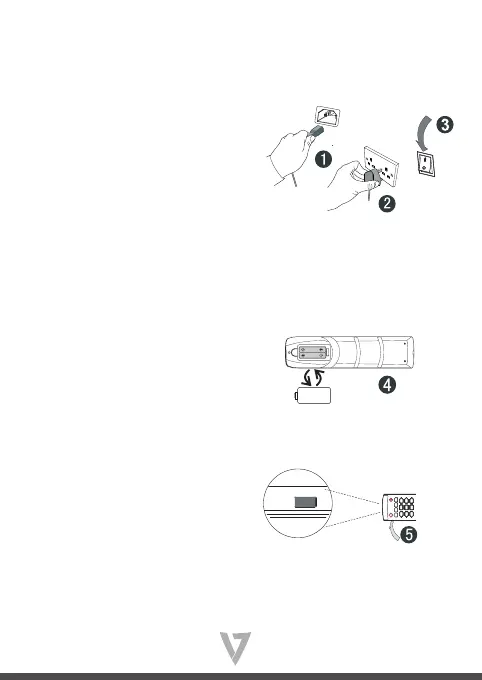
1. Plug the power cable into
the wall socket
2. Plug the power cable
to the power supply
connector on the bottom
of this product
3. Press the on/o button on the unit on the bottom of
this product near the plug (“I” = power on, “O” = power
o )
4. Remove the cover on the rear of the remote control
and insert two AAA batteries
5. Press the power button on the remote control or on
the front panel of the display to turn on the display.



 To Next Page