1. Safety Warning
• Before using and operating this device, please read thoroughly and comply with the following precautions in order
to prevent accidents or device malfunctions
Operating Environment
• Do not charge or use the device in dusty or wet conditions, to prevent internal circuit failure. Keep the device away
from heat sources.
Safety Precaution for Children
• This device and its parts may contain some small components. Please keep the product out of reach of children to
prevent accidents.
Water Precaution
• This device is not water-resistant. Do not submerge or spill liquids on the device.
Maintenance
• Please contact professional service personnel for maintenance services.
• Do not insert any sharp or pointed object into the device. Do not drop or collide with other objects, this may cause
damages.
2. Statements
a. Intellectual property right statement: The hardware design and software of this product are covered by the
patents. Anyone who reproduces this product or the content of the instruction without the authorization of the
Company shall assume legal liabilities.
b. This instruction is provided for reference only, and the functions shown in the manual may dier from the actual
functions of the product the customers actually purchase and receive.
c. The picture is for reference only. Please reference the actual product. The Company reserves the rights to improve
and change the appearance and design of the product without notice.
d. The actual screen sharing status depends on the real WiFi environment and your mobile device’s WiFi ability, a
better WiFi connection will result in a faster connection from transmitter to the monitor.
3. Pairing
2
.
4
G
H
z
/
5
G
H
z
3
0
0
M
b
p
s
W
I
R
E
L
E
S
S
U
S
B
A
D
A
P
T
E
R
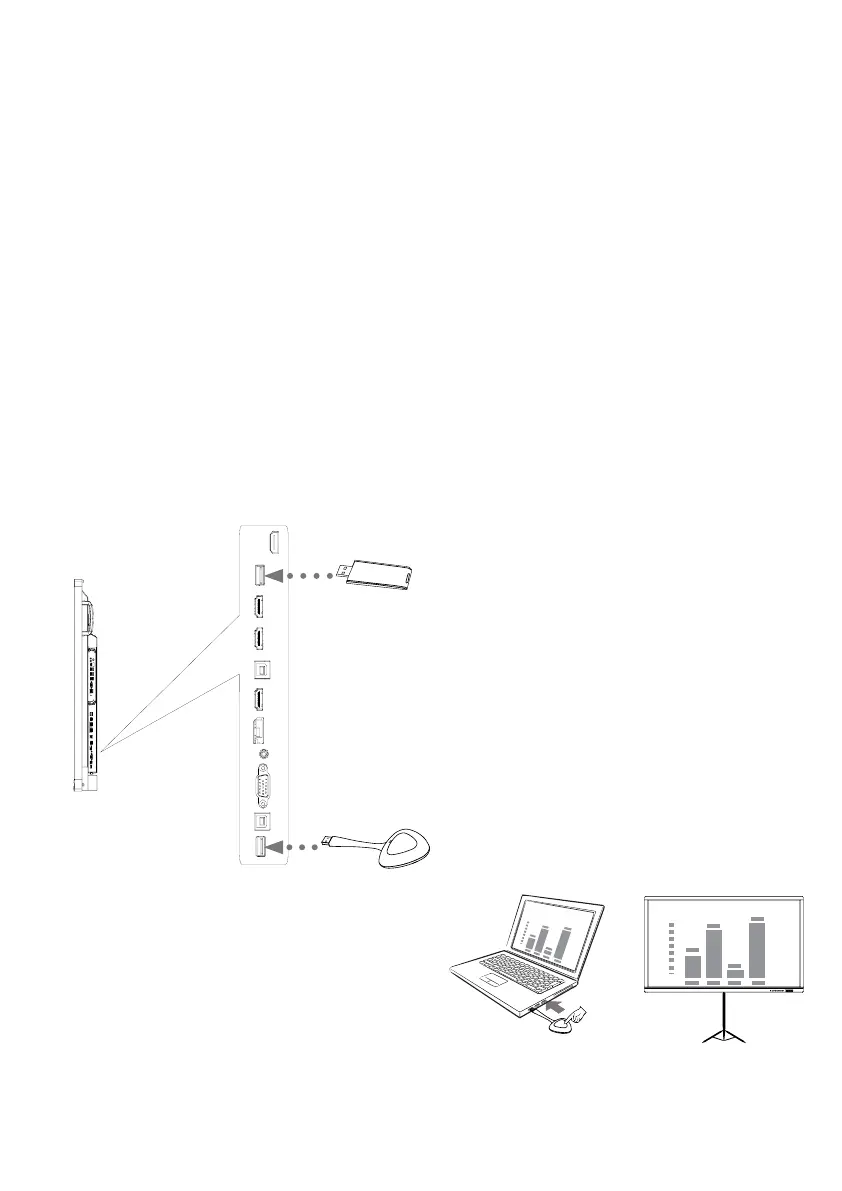
Transmitter
Receiver
1. Connect the transmitter and the receiver to
dierent USB ports on the Interactive Flat Panel
(IFP) to pair.
2. After pairing connect the transmitter to a USB port on
your computer. Find the Screen Share Pro icon in a File
Explorer window (PC) or Finder window (Mac) and allow
Screen Share to run the software and wait for The Screen
Share to connect
3. Press the button on the top of the transmitter to begin
screen mirroring
* Your computer should be connected to the same WiFi
signal as the wireless transmitter. If not, the device
may not work properly


 To Next Page
 Loading...