www.VacMasterFresh.com • 800-821-7849
6
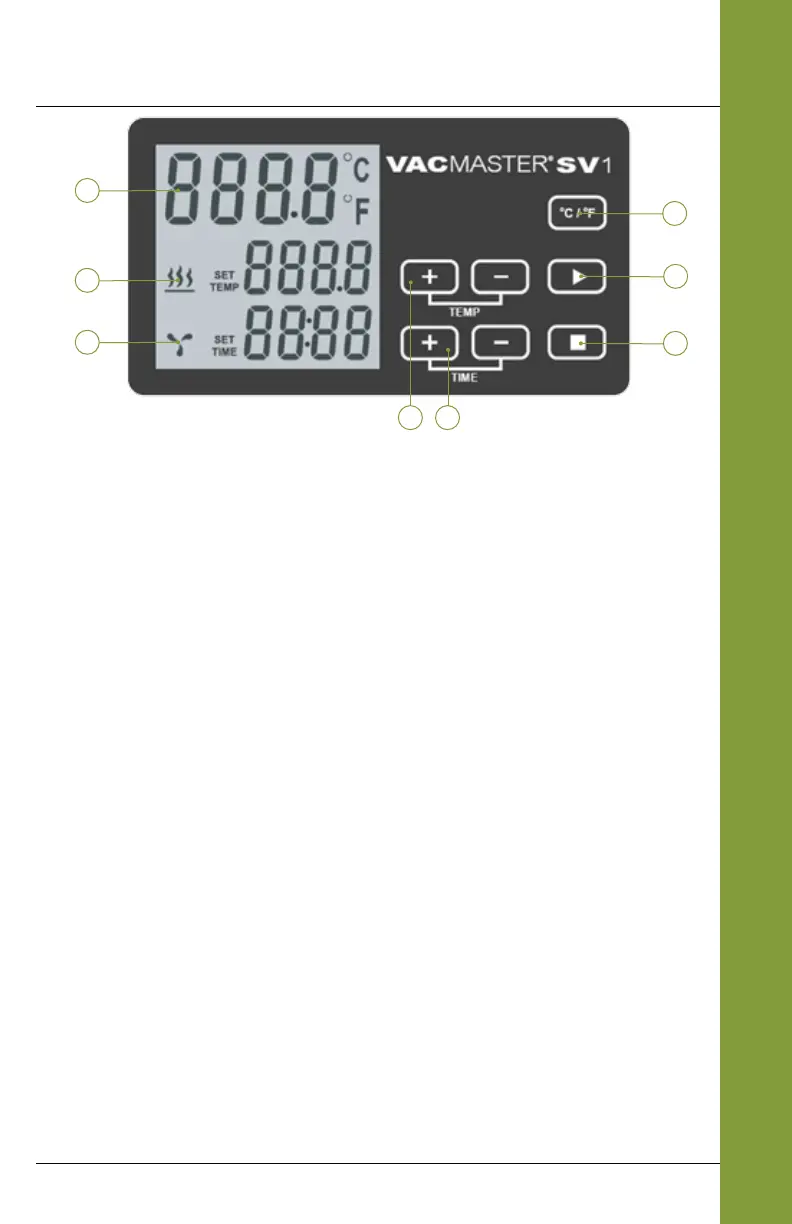
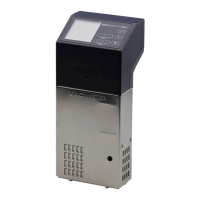
Control Panel of the VacMaster
®
SV1
1. Water Temperature Display - Indicates the current water
temperature.
2. Water Heating Icon and Display - Indicates water heating and
preset temperature.
3. Water Circulating Icon and Display - Indicates the water circulating
and time count.
4. Temp Button - Press to increase or decrease the water temperature.
5. Time Button - Press to increase or decrease the cooking time.
6. °C/°F Button - Press to change the current water temperature
display to either Celcius (°C) or Fahrenheit (°F).
7. Start Button - Press to begin heating and circulating the water.
Once the water has reached the correct temperature, press again
to start cooking timer.
8. Stop Button - Press to stop the operation.
FEATURES
4 5
1
2
3
6
7
8


 To Next Page