Emptying the Dirt Canister
& Replacing the Filter
Cartridge
Thedirtcanister–wherethevacuumeddirt
isdeposited–istheremovablelowerportion
ofthepowerunit.Thecanisterneedstobe
removedandemptiedwhenitis2/3full.
Theltercartridgeshouldbereplacedonce
ayear.
NOTE:Whenthedirtcanisterisremoved
theCyclonicConewillbevisible.Thecone
isheldinplacewithafrictionsealdesigned
toholdtheconetothebodyofthepower
unitwhenthecanisterisremoved.Thecone
canberemovedbypullingonit.Thisallows
accesstothereplaceablepleatedlter.
Follow these steps
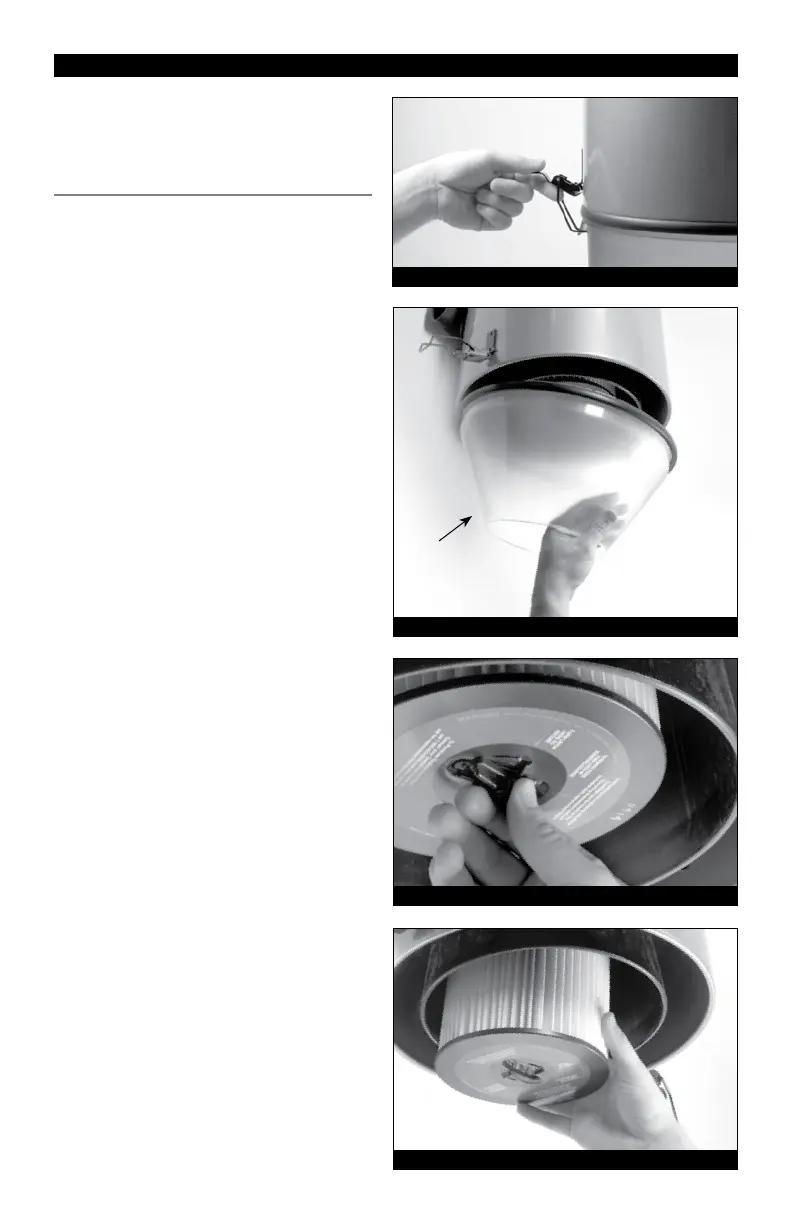
(refer to Illustration #1, #2, #3 and #4)
Make sure the Power Unit is OFF.
1.UnlatchandremovetheDirtCanister.
Latchesarelocatedonoppositesidesof
thepowerunit.(Illustration #1)
2.RemovetheCyclonicCone.
(Illustration #2)
3.Turnthelterlatch(counter-clockwise)on
thebottomofthelterandalignitwith
theslotsinthelterbase.(Illustration #3)
4.Removetheoldlterandreplaceitwitha
newpleatedlter.Uselterpartnumber
8106-01formodelsFC300,FC550and
FC650andlterpartnumber8107-01
formodelFC1550.(Illustration #4)
5. Lockthelterinplacebyturningthe
lterlatchclockwiseuntilyoufeelitsnap.
(Illustration #3)
6.Disposeofthedirtanddebriscapturedin
thedirtcanister.
7.SeattheCyclonicConeinthedirt
canister.
8.Raisethedirtcanistertothebaseof
thepowerunitandengagethelatches.
Becertainthedirtcanisteris“seated”
properlytothegasketonthebodyofthe
powerunit.
MODELS: FC300, FC550, FC650 & FC1550 • VACUFLO
®
Filtered Cyclonic
™
Illustration #1
Illustration #2
Illustration #3
Illustration #4
Cyclonic
Cone



 To Next Page