PatchSettings
Patch VOL: 50
EXP 1: A
BPM: 120 EXP 2: ON
ON
PatchSettings
Patch VOL: 50
EXP 1: A
Current
Eect
ON/OFF
Mess4 LD 3
ON
BPM: 120 EXP 2: ON
Press PARA
Screen Introduction
7
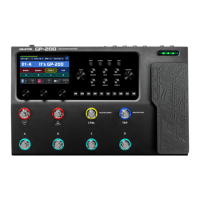
EXPPedal
You can use a built-in expression pedal oering two modes to
control various parameters in real time.
Press the pedal all the way forward to switch A/B mode.
Some GP-200 patches have been set up to use the built-in
expression pedal. These can be used without any further set up;
Refer to the expression pedal setting section to customize the
expression pedal settings.
When the built-in expression pedal is on, an icon will show up on the Main Display screen at the top left to indicate the
mode it is on:
Patch Setting
Edit Menu
In Quick Access display area, you can check the currently
loaded eect’s status.
Click PARA to enter Edit Menu.
Showing the current patch number and name
The complete signal chain simulation of the GP-200. You can
directly view all 11 modules’ sequence and on/o status based
on the color of the icons. Shaded dark indicates o and
exposed bright indicates on.
The default sequence of the signal chain is: PRE - WAH - DST -
AMP - NR - CAB - EQ - MOD - DLY - RVB - VOL. You can freely
move and adjust the eects sequence to create your own ideal
tones.
Note:
Please remember to save after editing your parameters.
A “*” sign will show up at the top screen to indicate that the parameters have been changed while not saved yet
when you’ve edited any parameter in a preset patch..
Editing a Module
Choose a module in the Edit Menu using PARA knob and click it to see all eects listed in this module.
For specific parameter settings, please check Page 20
"Eect List".
All eects in the module are listed on the right of the
screen, turn PARA knob and click to switch eects.
Click PARAknobto access more options.
EXP 1: EXP 2: PatchVOL
PatchVOLMixGain
1
BPM: 120


 To Next Page
 Loading...