SYSTEM SETUP
4.6 DEFAULT
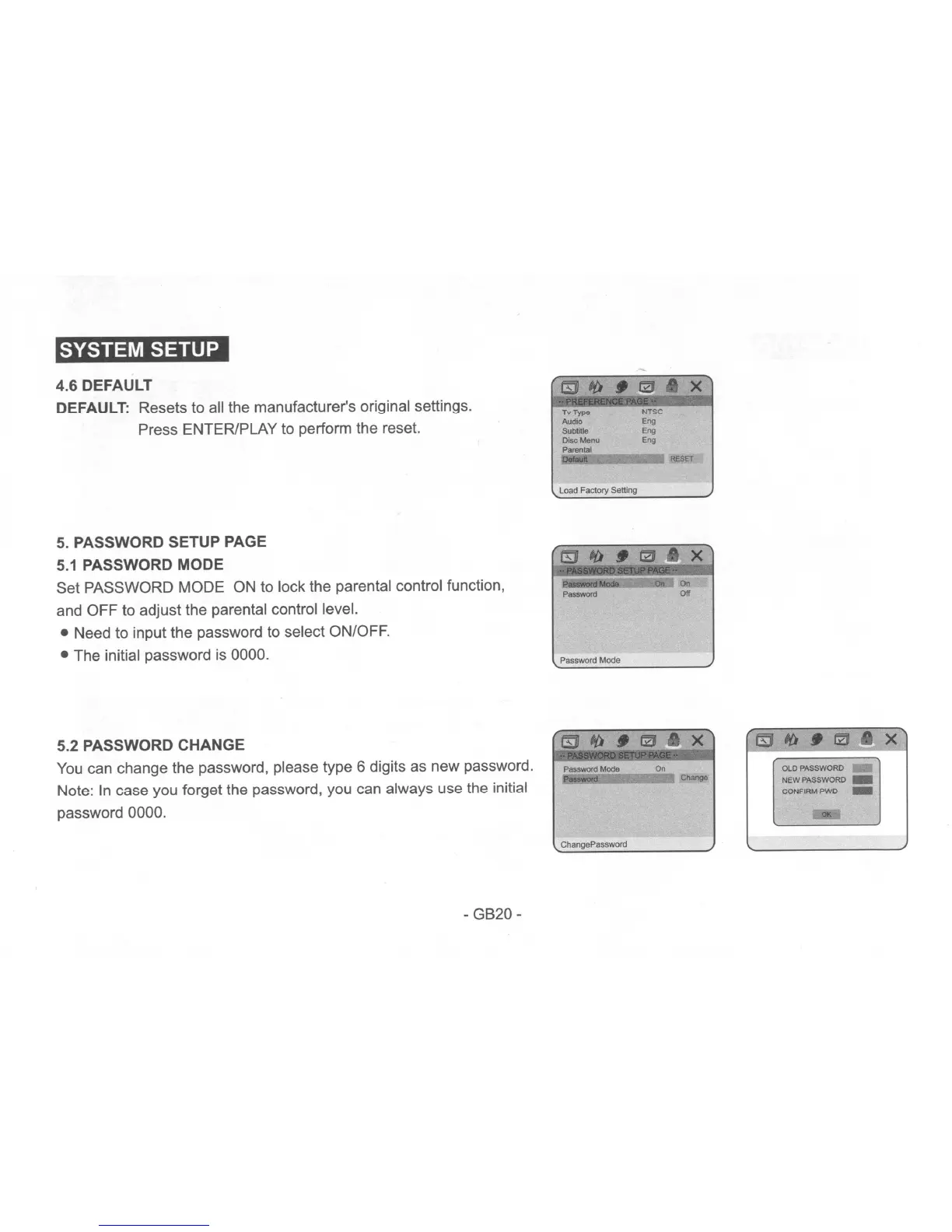
DEFAULT: Resets to all the manufacturer's original settings.
Press ENTER/PLAY to perform the reset.
Tv
Type
AudK>
Subtitie
Disc
Menu
Parental
00I0iJtl
-
NTSC
Eng
Eng
Eng
RESET
5.
PASSWORD SETUP PAGE
5.1
PASSWORD MODE
Set PASSWORD MODE ON to lock the parental control function,
and OFF to adjust the parental control level.
• Need to input the password to select ON/OFF.
• The initial password is 0000.
5.2 PASSWORD CHANGE
You
can change the password. please type 6 digits as new password.
Note:
In
case you forget the password, you can always use the initial
password 0000.
- GB20 -
Load Factory Setting
__
On
Password
orr
Password
Mode
PasSWOfd
Mode
On
Pouword
---.J
Change
ChangePassword
~
ItJ
•
~a
X
OLD PASSWORD
."
NEW PASSWORD _
CONFIRMPWO
-
~


 To Next Page
 Loading...