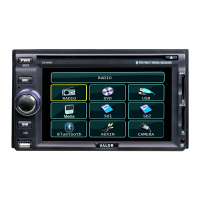
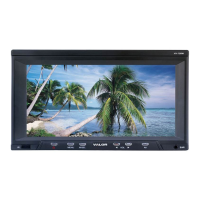
Name Function or control
9
buttons
Press to navigate
in a menu and change setting
Press to fast reverse playback at 2x, 4x, 8x,16x
and 32x speeds.
11 Random Press to play chapters or tracks in random order.
12 A-B Press to repeat playback from point A to point B.
13 SRC Press to select the video input mode (DVD-
/USB/ SD/ MMC/ MS, AV IN1, AV IN2,). (When
the units sets in DVD mode, press it can change
USB/SD/MMC/MS mode.)
14 Return
Press to return the main menu, press again to
return the last position of playback.
15 Angle Press to select a different filming angle. T
feature only works if the DVD is recorded with
multiple angles.
16 Zoom Press to set the zoom for movie viewing.
17 Repeat Press to repeats the track or the entire disc.
18 Title Press to view the DVD disc’s title menu.
19
(FF)
Press to fast forward playback at 2x, 4x, 8x,16x
and 32x speeds.
20 Subtitle Press to select and turn on subt
playback.
21 Menu Press to view the DVD disc’s main menu.
22 VOL - / VOL+ Press to decrease / increase the volume.
23
Next
Press to go to the next chapter on DVD or track
Press to stop playback, press [PLAY] or
utton to start playing at the last
button twice to fully stop
playback, Press [PLAY] or [ENTER] button to
start playing at the beginning of DVD.
25 Display
Press to display the playback information (such
as title, chapter, track and time).
26 Goto
Press to start playback at a selected chapter,



 To Next Page