Flashing light system
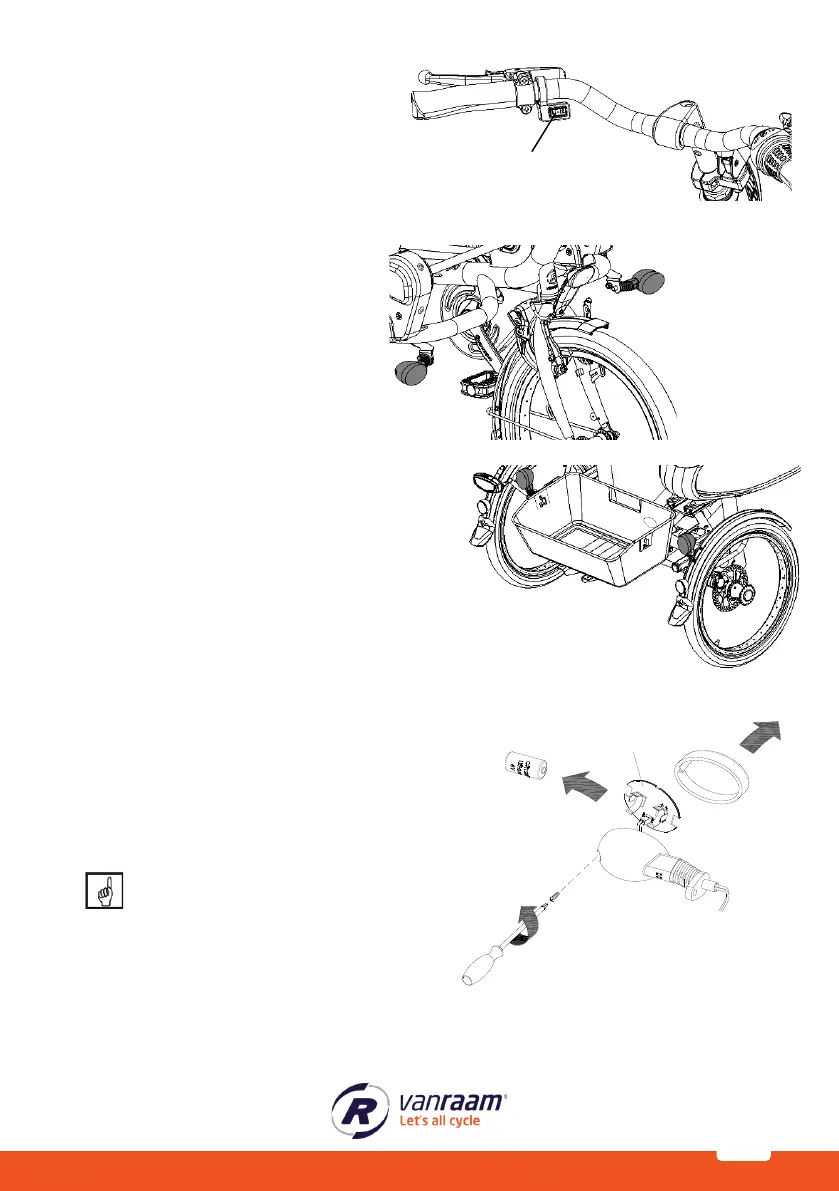
To use the flashing lights press the switch
[A] to the left or right.
If you want to switch off the flashing light
system, put the switch in the middle
position.
The lights work on a battery.
To replace the batteries, turn the screw on the
cap and take the orange cap [B] away. Then
remove the PCB [C] from the holder. You can
now replace the battery [D].
This is a 3-volt lithium battery, CR123A.
Batteries cause environmental pollution.
Follow the local regulations during
disposal.



 To Next Page