
 Need help?
Do you have a question about the Vaporesso XROS Nano and is the answer not in the manual?
Pull out the pod from the battery and install the new one. If it's the first time using the device, please tear off the sticker of the pre-installed pod.
Snap off the mouthpiece, squeeze e-liquid into the filling slot, and reattach mouthpiece firmly. Wait 5 minutes for coil to prime if it's the first fill.
Use the side airflow control toggle to adjust according to your vaping habits for different airflow effects.
The device is draw-activated. Inhale through the mouthpiece and exhale to start vaping.
LED indicators show battery level: 80-100%, 60-80%, 30-60%, or below 30%.
Use the in-box Type-C cable to charge. LED indicators breathe while charging and stay on when fully charged.
Device stops working, all LEDs flash 5 times simultaneously.
Device stops working, current battery LEDs breathe 3 times gradually.
Device stops working, all LEDs flash 5 times simultaneously.
Device stops working, current battery LEDs breathe 3 times gradually.
Device stops working, all LEDs flash 3 times simultaneously.
Charging stops, all LEDs will stay on.
Device stops working, all LEDs flash 3 times simultaneously.
Device stops working, current battery LEDs breathe 3 times gradually.
Do not leave charging unattended, drop, throw, or abuse device. Use standard USB charger, keep away from water and extreme temperatures.
Product and battery should not be treated as household waste; hand over to applicable collection points for recycling.
Only have your device repaired by Vaporesso. Do not attempt self-repair to avoid damage or personal injury.
Intended for use with compatible e-liquid containing nicotine. Not suitable for persons under legal smoking age or those with specific health conditions.
Not recommended for non-smokers, pregnant or breastfeeding women. Consult healthcare professional for adverse effects from nicotine e-liquid.
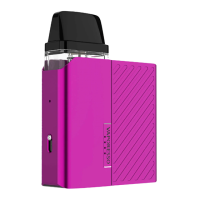
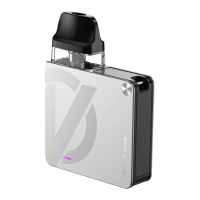
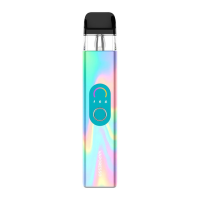
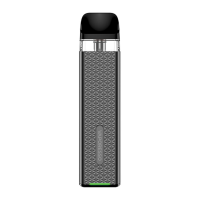
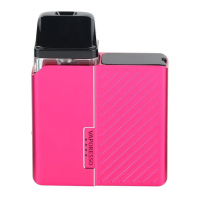
The Vaporesso XROS Nano is a refillable electronic cigarette designed for use with compatible e-liquid, which may contain nicotine. This device is intended to provide a satisfying vaping experience through its user-friendly design and various features.
The XROS Nano operates as a draw-activated vaping device, meaning users simply inhale through the mouthpiece to initiate vapor production. This eliminates the need for buttons to activate the device, offering a seamless and intuitive experience. The core function of the device is to heat e-liquid contained within a pod, converting it into an inhalable vapor.
The device is designed with several features to enhance the user's vaping experience:
Pod System: The XROS Nano utilizes a pod system, which consists of a replaceable pod that holds the e-liquid and the heating element (coil). To install or replace a pod, users simply pull the existing pod out from the battery and insert a new one. For first-time use, it is crucial to remove the protective sticker from the pre-installed pod before use.
E-liquid Filling: Filling the e-liquid is a straightforward process. Users need to snap off the mouthpiece to reveal the filling slot. E-liquid is then squeezed through this slot. After filling, the mouthpiece should be firmly reattached to ensure a secure seal. A critical step for first-time e-liquid filling is to allow the coil to prime for at least 5 minutes after filling. This ensures the coil is fully saturated with e-liquid, preventing dry hits and extending coil life.
Adjustable Airflow: A key feature of the XROS Nano is its adjustable airflow control. Located on the side of the battery, a toggle allows users to customize the airflow according to their personal vaping preferences. This means users can achieve different draw resistances, from a tighter, more restricted draw to a looser, airier one, catering to various vaping styles and desired vapor production.
Battery Level Indication: The device incorporates a Tiding LED Indicator system to display the current battery level. This system uses multiple LEDs to provide a clear visual representation of the remaining charge:
Charging: The XROS Nano is equipped with a Type-C USB port for charging. Users should use the provided Type-C cable to charge the device. During charging, the LED indicators will "breath" (gradually light up and dim), signifying that the device is actively charging. Once fully charged, the LED indicators will remain steadily on.
Proper maintenance is essential for the longevity and optimal performance of the XROS Nano.
Pod Replacement: The pods are designed to be easily replaceable. When the coil inside the pod reaches the end of its lifespan (indicated by a burnt taste or reduced vapor production), users can simply remove the old pod and install a new one. This modular design simplifies maintenance and ensures consistent performance.
Cleaning: While not explicitly detailed as a "maintenance feature" in terms of a specific cleaning mode, the design of the device, particularly the removable pod and mouthpiece, facilitates easy cleaning of these components. Regularly wiping down the device and ensuring the mouthpiece and pod connections are free of e-liquid residue can help maintain hygiene and prevent potential issues.
Protection Mechanisms: The XROS Nano includes several built-in protection features to ensure safe operation and extend the device's lifespan:
These protection mechanisms are crucial for ensuring the safety of the user and the device, making the XROS Nano a reliable and secure vaping option. Users are advised to only have their device repaired by Vaporesso to avoid damage or personal injury.
 General
| Battery Capacity | 1000mAh |
|---|---|
| Pod Capacity | 2ml |
| Charging Port | USB Type-C |
| Output Power | 11W/16W |
| Coil Resistance | 0.8Ω/1.2Ω |
| Adjustable Airflow | Yes |
| Dimensions | 63.1mm x 48.8mm x 14.9mm |
| Charging | 1A |
| Pod Compatibility | XROS Series Pods |
| Display | No |


 To Next Page