EasyManua.ls Logo

Varian PaxScan 2530W - User Manual

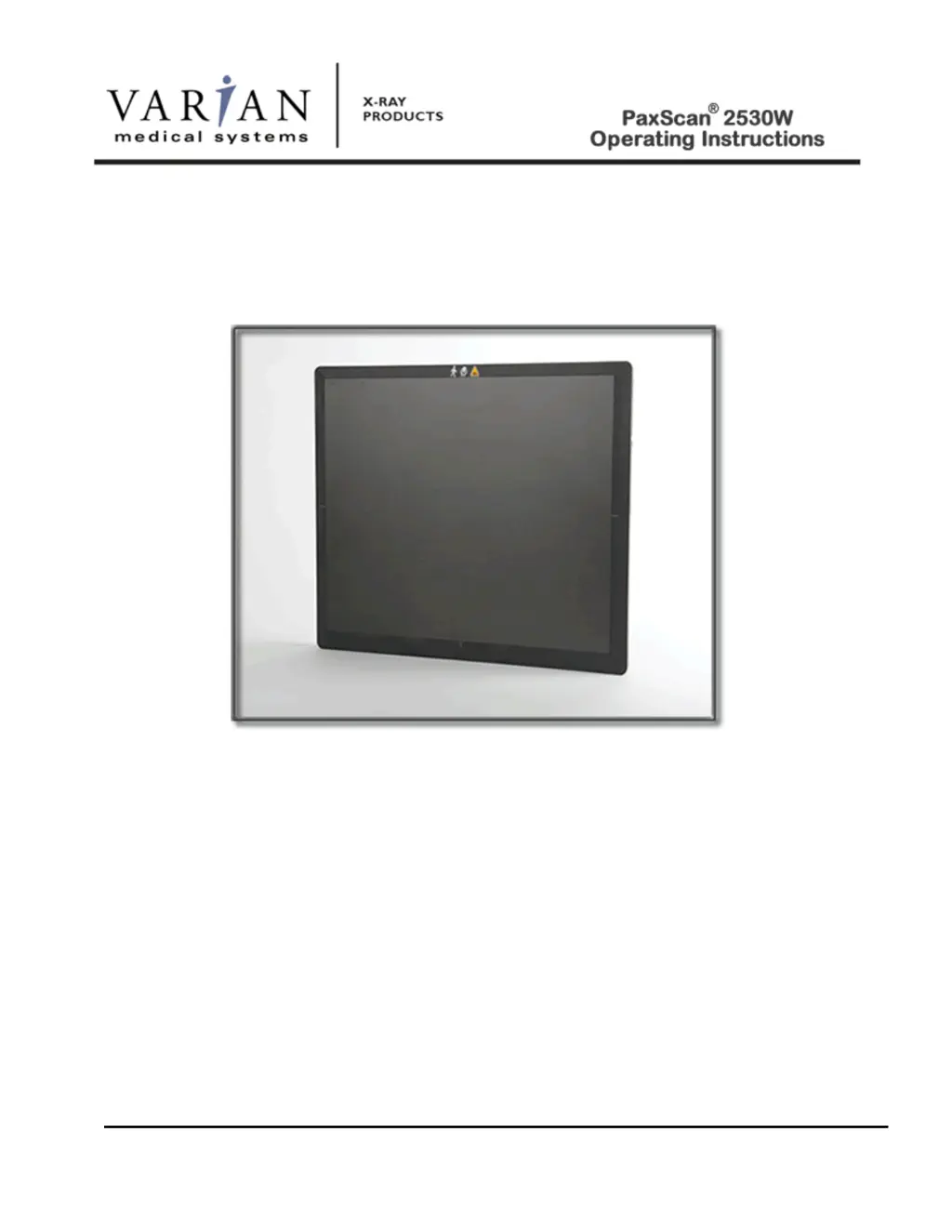
Varian PaxScan 2530W
80 pages
Print Icon
To Next Page IconTo Next Page
Loading...
Digital Image Receptor
The PaxScan 2530W is a radiographic
digital x-ray imaging sub-system
© Varian Medical Systems | X-Ray Products
82510-000 Rev A 11/2014

Table of Contents

Questions and Answers

  • J
    James PerryAug 12, 2025
    What to do if acquired image is completely dark on Varian PaxScan 2530W?
    • N
      Natalie DavisAug 12, 2025
      If you get a completely dark image, try these steps: * Increase the exposure and acquire a new image. * Verify that all cables are properly connected. * Turn the power “OFF” and “ON”, then acquire a new image.
  • P
    pamela93Aug 15, 2025
    What to do if Varian PaxScan 2530W imager causes Electro-Magnetic Interference?
    • K
      Keith BakerAug 15, 2025
      If your Varian imager is causing electromagnetic interference, try the following: * Reorient or relocate the receiving device. * Increase the separation between the equipment. * Connect the other device(s) into an outlet on a different circuit. * Consult the manufacturer or field service technician for help.
  • M
    Miranda GeorgeAug 19, 2025
    How to fix poor image quality on Varian PaxScan 2530W?
    • A
      Andrew SimsAug 20, 2025
      To address poor image quality, please check the following: * Confirm that image corrections are all selected in the Systems Settings dialog box in ViVA. * Re-acquire gain and offset images. * Assure that the exposures are appropriate for gain calibration images (not saturated).
  • J
    Jason VegaAug 23, 2025
    What to do if Varian PaxScan 2530W software hangs up?
    • L
      Laura HinesAug 23, 2025
      If the software hangs up, restart ViVA.
  • M
    Melinda GonzalezAug 27, 2025
    How to fix residual x-ray image on Varian PaxScan 2530W?
    • C
      Crystal DunnAug 27, 2025
      A residual x-ray image from a previous super saturated exposure may be due to charge on the sensor pixels. It can be erased by taking another image or multiple images without X-rays until the residual image is gone.
  • E
    Elizabeth CannonAug 31, 2025
    How to fix out of virtual memory error on Varian Medical Equipment?
    • P
      Patricia BondAug 31, 2025
      If you encounter an 'out of virtual memory' error, close some of the windows that are currently open.
  • J
    jacobvasquezSep 4, 2025
    How to fix Varian Medical Equipment I/O Box no power?
    • G
      Gregory RobinsonSep 4, 2025
      If the I/O Box has no power: * Check the external power supply module. * Check the internal fuse (F1) Littlefuse PN: 0229004.HXP - Fuse 125V SLO-BLO 2AG 4A CART.
  • A
    Amanda LeeSep 7, 2025
    What to do if Varian PaxScan 2530W imager fails to respond?
    • M
      Melanie MaySep 7, 2025
      If the imager fails to respond, check the wireless connection or cable connections.

Summary

How To Reach Us

Technical Support

Contact information and procedures for obtaining technical assistance for the product.

International Offices

Sales

Contact details for sales representatives in various international locations.

Sales and Technical Support

Contact details for sales and technical support in specific regions.

General Safety Information

Safety Warnings, Precautions and Contraindications

Essential safety guidelines, warnings, precautions, and contraindications for using the device.

Explanation of Symbols

Chapter Summary

Index

Chapter 1 Introduction

Shipment Contents

List of items included in the product package upon delivery.

Optional Parts

Intend Use

Chapter 2 Getting Started

System Overview

A general description of the imaging system's components and architecture.

Connecting the Cables - I;O Box Setup Only

Table 1-0 Cable Connection Details

Details on the specific cables required and their connections for the I/O Box setup.

Power on Sequence - without I;O Box

Wireless mode (W)

Step-by-step instructions for powering on the receptor in wireless mode.

Tethered mode

Chapter 3 Additional Features

Auto Trigger

Explanation of the auto trigger feature for image acquisition without synchronization.

Wireless

Details on the wireless capabilities, including antenna and security specifications.

Hot Swappable

Information on the hot-swappable feature for disconnecting and reconnecting the receptor.

Chapter 4 Paxscan System Software

Software Installation

Step-by-step guide for installing the Paxscan system software and VIVA application.

Receptor Files Installation

Chapter 5 Modes of Operation

Table 2-0 PaxScan 2530 W Operational Modes

Table detailing the different operational modes and their parameters.

Default Mode

Operation States

Auto Trigger

Multiple Receptor

Chapter 6 Calibration Procedures

Offset Calibration

Procedure for compensating for pixel variations using dark field images.

Preview Offset Calibration

Details on offset calibration for preview images and automatic post-acquisition calibration.

Gain Calibration

Table3-0 Gain Calibration - All Modes

Connect To the Panel as Access Point

Radiographic or Auto Trigger Mode Gain Calibration

Chapter 7 Image Acquisition

Radiography or Auto Trigger Mode

How to acquire images in Radiography or Auto Trigger modes for diagnosis.

Chapter 8 Safety

Electro-Magnetic Interference

Information on potential electromagnetic interference and compliance.

Table 4-0 Guidance and Mfgr Declaration - Electromagnetic Emissions

Table 5-0 Guidance and Mfgr Declaration - Electromagnetic Immunity

Table 6-0 Recommended Separation Distance Between Portable and Mobile RF Communications and the PaxScan 2530 W

Electrical Protection

Environment Limits

Temperature & Humidity

Altitude Limits

Lithium-Ion Rechargeable Battery

Lithium-Ion Battery Handling, Storage, & Shipping

Regulatory

Radio Frequency (RF) Compliance Information

FCC;IC Compliance

Taiwan NCC Warning Statement

Japan Telecom Certification - JATE

Singapore Compliance

Philippines Compliance

Korean Radio Statement

Industry Canada Notice

European Community - CE Notice

Europe - Declaration of Conformity in Languages of the European Community.

Europe - Restrictions for Use of 2.4 GHZ Frequencies in European Community.

Chapter 9 Maintenance

Cleaning and Disinfection

Procedures for cleaning and disinfecting the receptor, battery, and charger.

Repairs

Information on repairs and a list of Least Replaceable Units (LRUs).

Proper Disposal

Chapter 10 Troubleshooting

Chapter 11 Problem Report

Chapter 12 Appendix A

Interfacing Information

Details on the interfacing connections for the PaxScan 2530W and Varian I/O box.

Chapter 12 Appendix B

Use Cases

Potential application configurations for the 2530W platform based on end-user needs.

Chapter 12 Appendix C

Battery Installation;Removal for 2530 W

Step-by-step instructions for installing and removing the battery from the receptor.

Battery Charger

Setting Up the Varian Charger

Instructions for setting up and connecting the Varian battery charger to power.

Battery charging using the stand alone 3-Bay Battery Charger

Battery charging using the stand alone 1-bay battery charger

Battery charging using the 2530 W Receptor

Varian PaxScan 2530W Specifications

General IconGeneral
Detector TypeAmorphous Silicon
Weight3.8 kg
Power Supply24 VDC
Frame Rate30 fps
Dynamic Range16-bit
InterfaceGigabit Ethernet
Pixel Size127 μm
Pixel Pitch127 μm
Power Consumption25 W
Active Area25 cm x 30 cm
TechnologyFlat Panel X-ray Detector
Power Requirements24 VDC