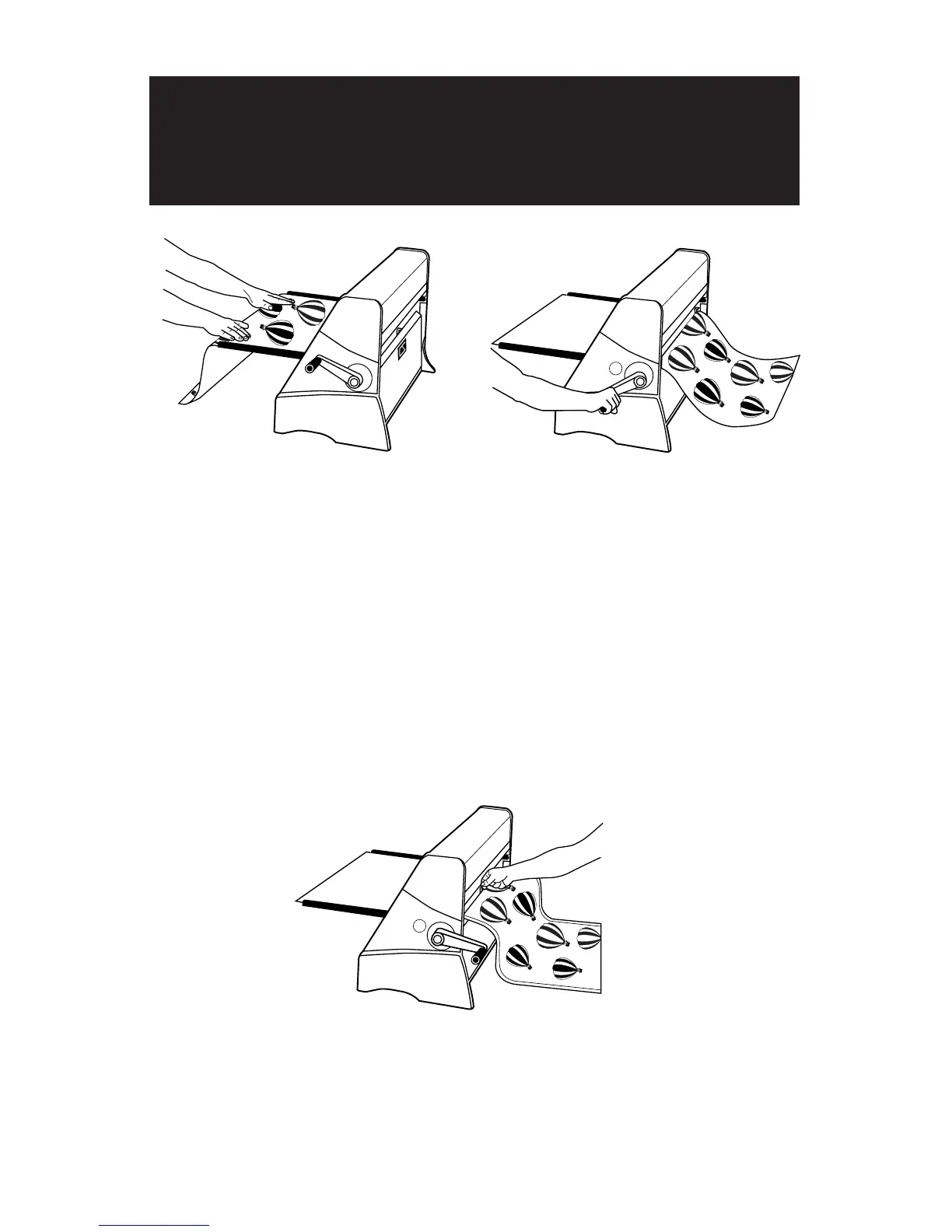
Step 3:
•
Trim the document by pressing down on the
blade holder and sliding it in either direction.
Note: As the document exits the machine, you may
wish to trim the leading edge. This will avoid a later
trimming operation.
Step 1:
•
Pull back on the paddle so that it is in
the “up” position.
•
Insert a document so the leading edge
is under the paddle. The document
should extend past the edge of the
paddle 1-2 inches (2.5-5cm).
Note: The side of the document which is face
down will have adhesive applied when using
1 Side Laminate/1 Side Mounting Adhesive.
•
Align the document parallel to the
edge of the feeder tray.
Step 2:
•
Push forward on the paddle to lock the
document in place.
•
Ensure that the leading edge of the
document is adhered down evenly.
If necessary slide your fingers across
the leading edge to secure it in place.
•
Turn the handle clockwise to advance
the document through the machine.
How to apply Dual Sided Lamination or
1 Side Laminate/1 Side Mounting
Adhesive


 To Next Page