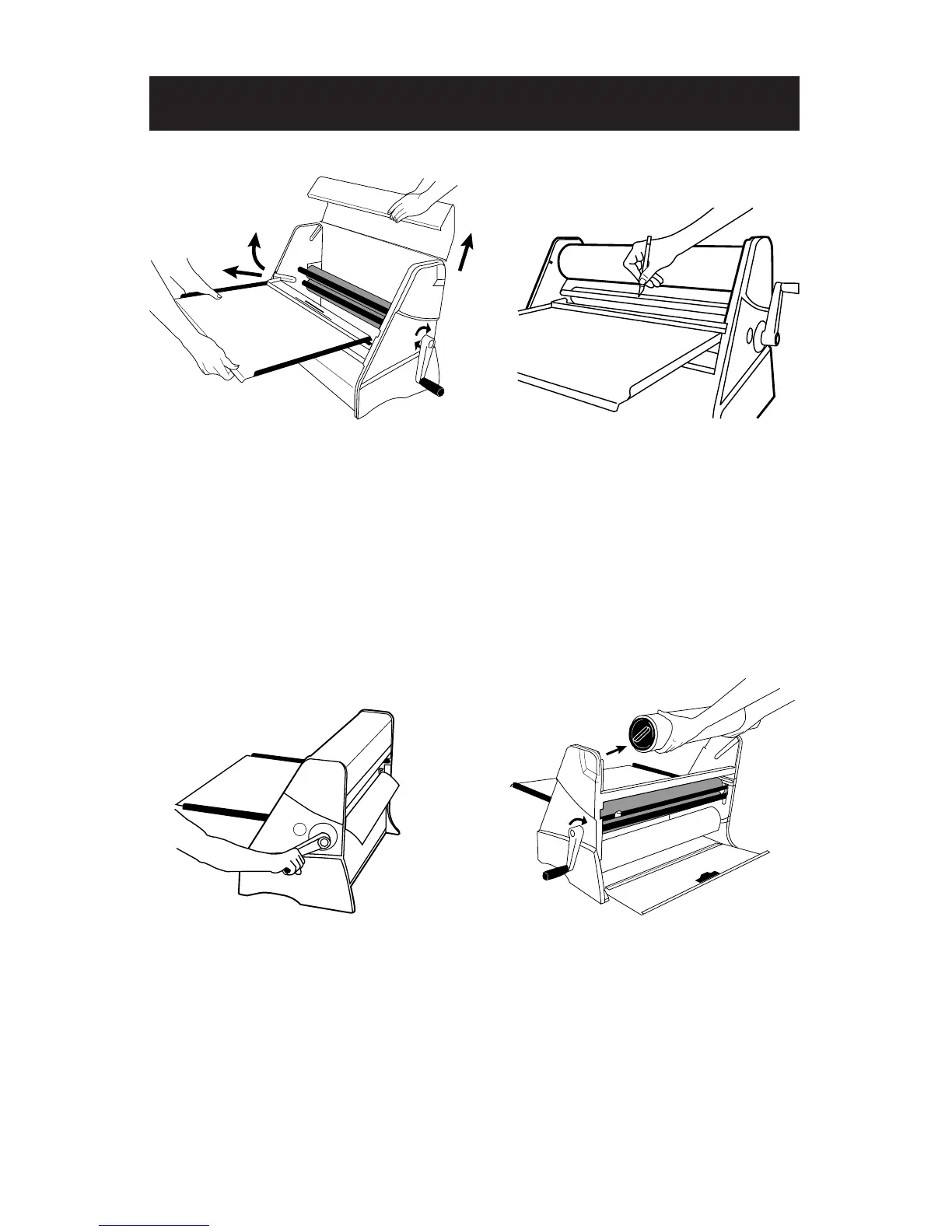
Step 1:
•
Remove the top cover by lifting
upward.
•
Remove the feed tray by lifting and
pulling away from the machine.
Step 2:
•
Make a small hole with a knife about
one inch (2.54cm) from the left edge
of the film.
•
Slide the knife towards the right
edge of the film and stop about
one inch (2.54cm) from the edge.
Use caution to avoid cutting into
the rubber rollers.
Step 3:
•
Turn the handle 1/2 turn maximum
in the direction of the arrows. This
step will cause the uncut film at the
edges to break, creating a laminated
leader for easy installation at a
later time.
Step 4:
•
Remove the supply rolls from the
machine. Varitronics
®
recommends
that supplies are stored laying flat in
a cool, dry place using the original
packaging.
Supply Roll Removal


 To Next Page