English 11
WARNING: You need a WiFi connection in order to download
system updates.
About - information about the software.
3.4 About
You can see the version of the device and read the terms and
conditions.
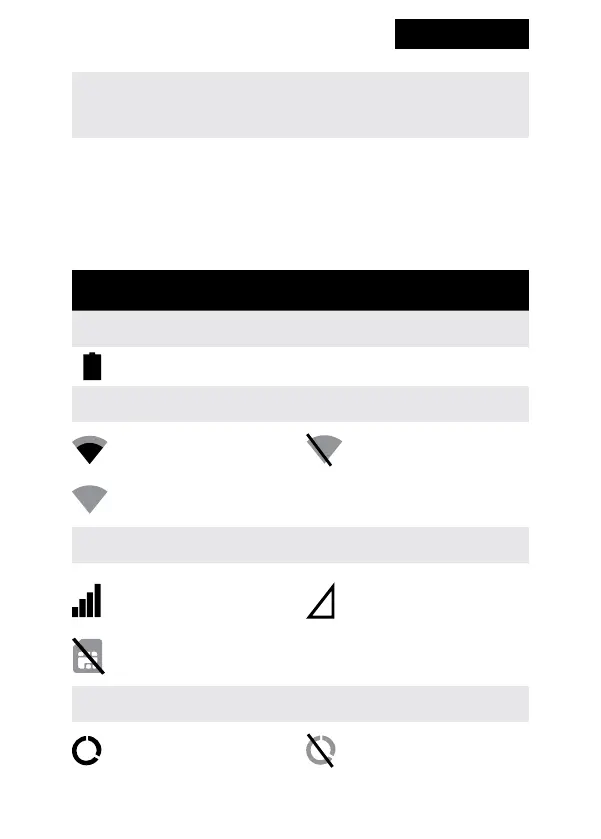
Notication bar
Battery status
Icon shows the current battery status.
WiFi
Icon shows the strength
of WiFi signal.
Icon means that the WiFi
module is turned o.
?
Icon means that WiFi is available and you’re within its
range, but the
GSM
Icon shows the strength
of the GSM signal.
Icon means that you are
not connected to any
GSM network.
Icon means that the SIM card is damaged or not installed.
DATA
Icon means that the
mobile data is enabled.
Icon means that the
mobile data is disabled.


 To Next Page