Pro Kiosk Assembly
Step 1
Step 2
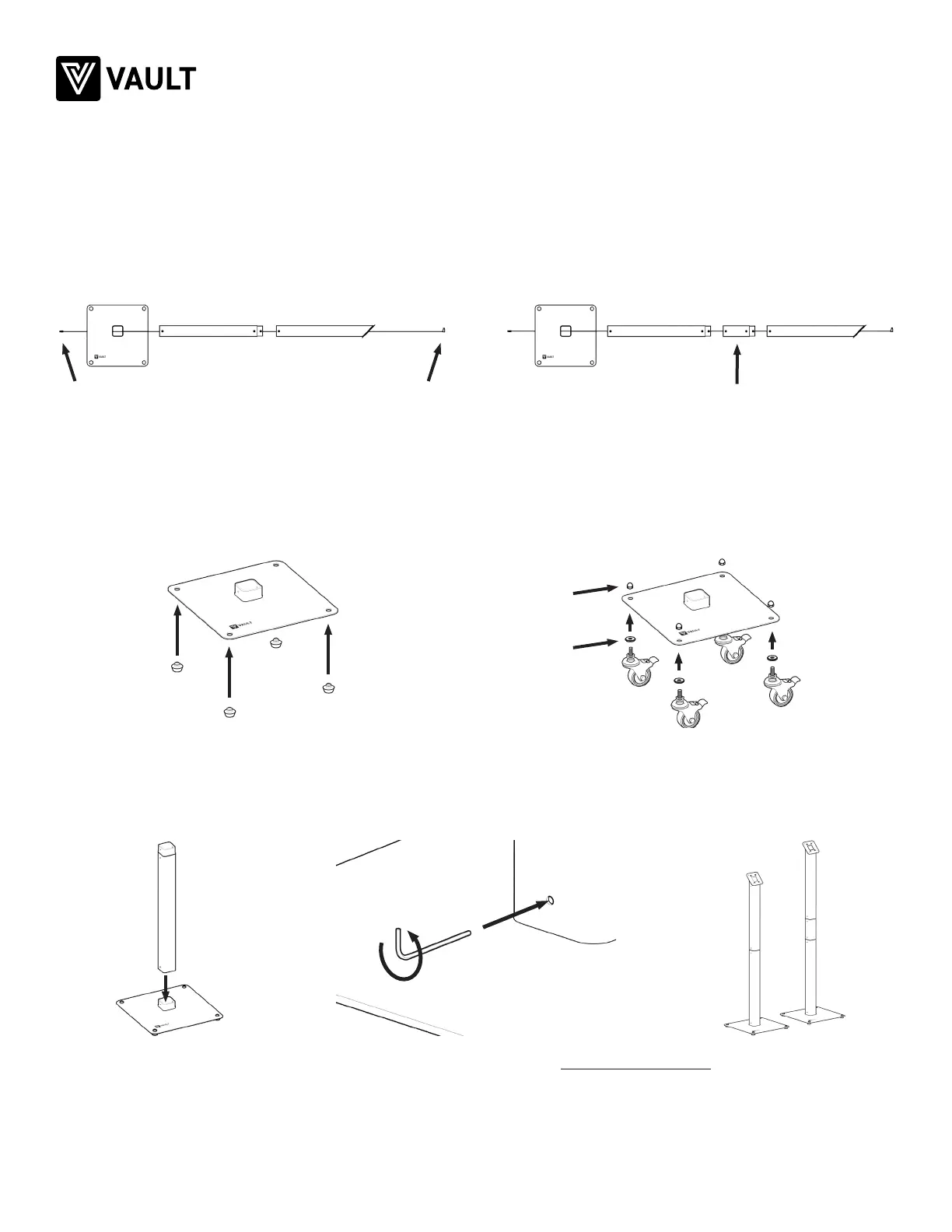
Feed the included 10ft cable through the desired kiosk segments.
Straight USB-C port Only use optional 6 in. extension with 50”90° USB-C port
Acorn nut
Nylon washer
44”
Feet
50”
Wheels
Install the included feet or optional wheels (purchased separately).
Install the segments to reach your desired kiosk height. Turn counter-clockwise to tighten.
QUICK START GUIDE
Step 3
Rev A vaultproducts.com
Pro Kiosk assembly complete
Continue assembly with Pro Enclosure instructions


 To Previous Page
 Loading...