InstallingtheXTi‐VBoxTVGatewayDevice
Toinstallyourdevice,takethefollowingsteps:
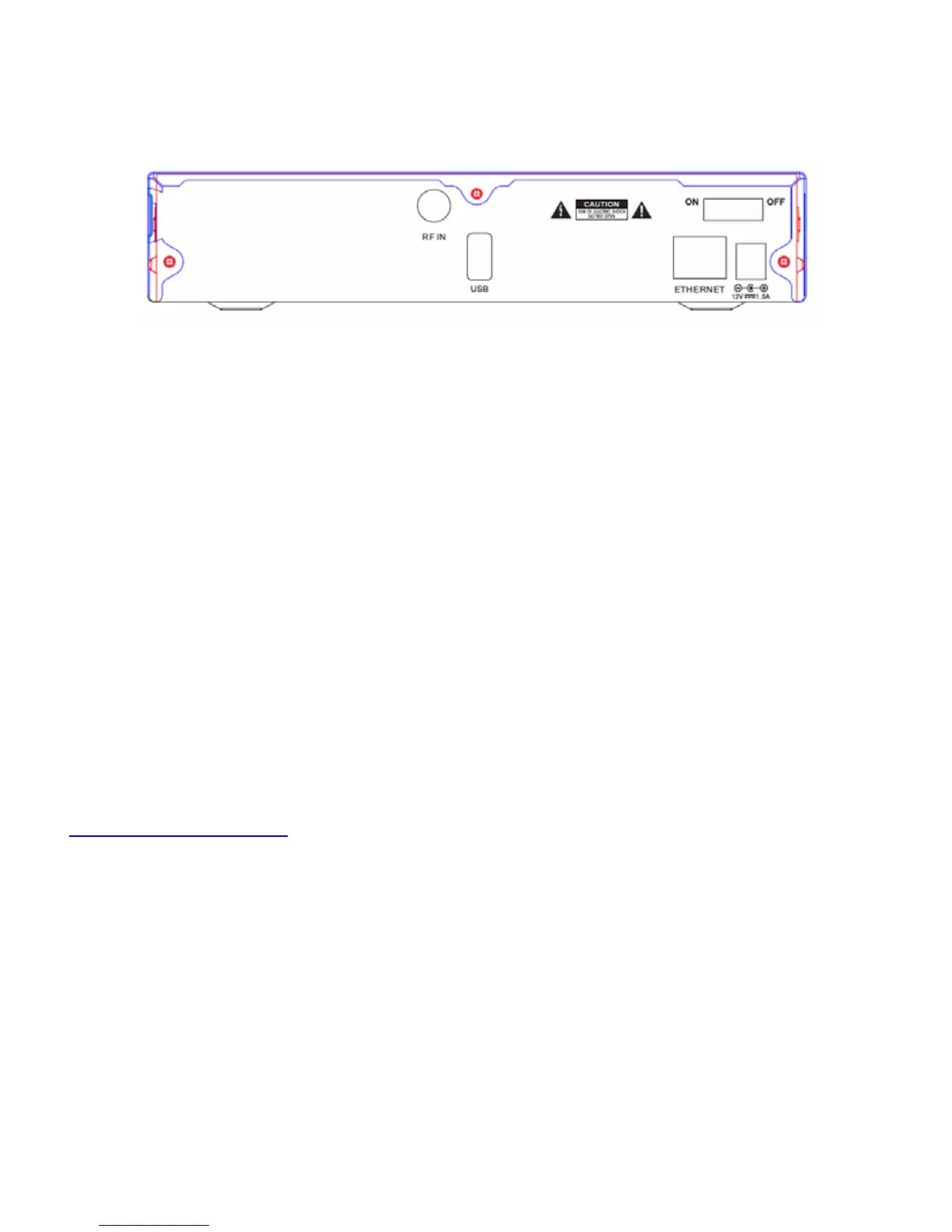
1. ConnecttheEthernetcabletothenetworkrouterandtotheXTidevice’sLANconnector.
2. ConnectthecoaxialcablerunningfromtheterrestrialantennaorCabletotheXTidevice’sRF‐In
connector.
3. ConnectthepoweradaptertotheXTideviceandtothemains.
4. TurntheVBoxpoweron
5. InstalltheVBoxappforiOSorAndroid,oropenawebbrowserandtypetheXTi’sIPaddress
6. Runthequicksetup
MakesurethattheUPnPProtocolisenabledonyourRouterandPC
ForSettinguptheXTi‐VBoxTVGatewayusingtheWebInterfacepleaserefertoinstallationguide
Todownloadthefullusermanualpleasereferto
TechnicalSupport
www.vboxcomm.com/retail
support@vboxcomm.com.com


 To Next Page
 Loading...
