Getting Started
Multi-Format STB Quick Start 3
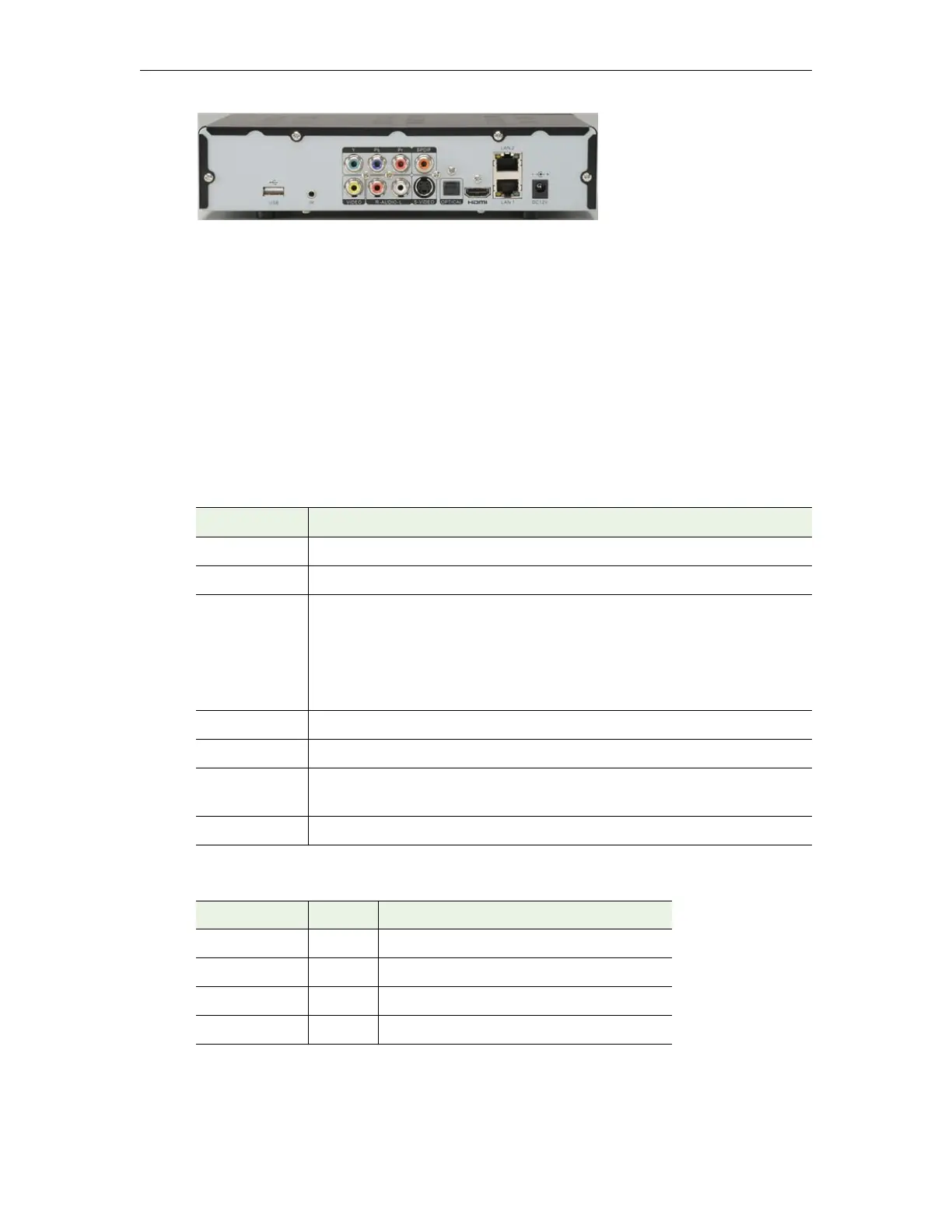
Figure 2. Multi-Format Set Top Box (rear)
To setup and connect the Multi-Format STB:
1. Place the device in a suitable location.
2. Connect the device to your network using the provided Ethernet cable with an RJ-45
connector.
3. Connect the STB to the display device(s). You can output to multiple standard or high
definition devices using the composite, component, or HDMI connectors.
4. Connect the audio outputs as necessary.
5. Connect the power supply to the STB and install two AAA batteries in the remote
control.
Table 3. Rear Panel Connectors
Table 4. Front Panel LEDs (left to right)
Connector Description
USB port Use to connect a USB keyboard.
IR Supports an IR extender for the remote control.
A/V Output • Y, Pb, Pr – component connectors.
• SPDIF – used with 5-in-1 audio cable.
• VIDEO – composite connector.
• R-AUDIO-L – left/right audio out.
• S-VIDEO – S-Video connector.
Optical Not used.
HDMI HDMI output. Connect to an HDMI-compatible TV.
LAN1/LAN2 Use LAN 1 to connect to your Ethernet network. LAN 2 can be used as a
second network connection but may impact performance.
DC12V Connect to power supply.
LED Color Description
Standby Red Flashes red when power is applied.
Power Green Steady green when power is applied.
Link Green Steady green when power is applied.
IR Remote Red Flashes red when using IR remote control.


 To Next Page