A: Please check and make sure that the AC connector is properly
connected and that the board is plugged in.
Q: My dartboard won’t start.
A: Try hitting the same area with the dart.
Q: The dartboard is not responding.
A: Unscrew the tip from the barrel and replace it with a new tip.
Q: The tips of my darts are broken or damaged.
A: If your board doesn’t connect to your device’s bluetooth automatically,
you will have to connect it manually. Go to
your device’s settings ‒ Bluetooth ‒ Search device ‒ input
connection “VDarts Home Dartboard”‒ Enter PIN code: 1608.
Q: My device keeps displaying “Searching VDarts H3/H4/H4L”
Frequently Asked Questions
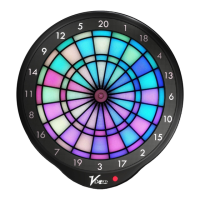
VDarts H3/H4/H4L Global Online Dartboard
Please contact us if you have any questions at
support@vdarts.tw
11


 To Next Page
 Loading...