5
CHECKLIST BEFORE STARTING THE UNIT
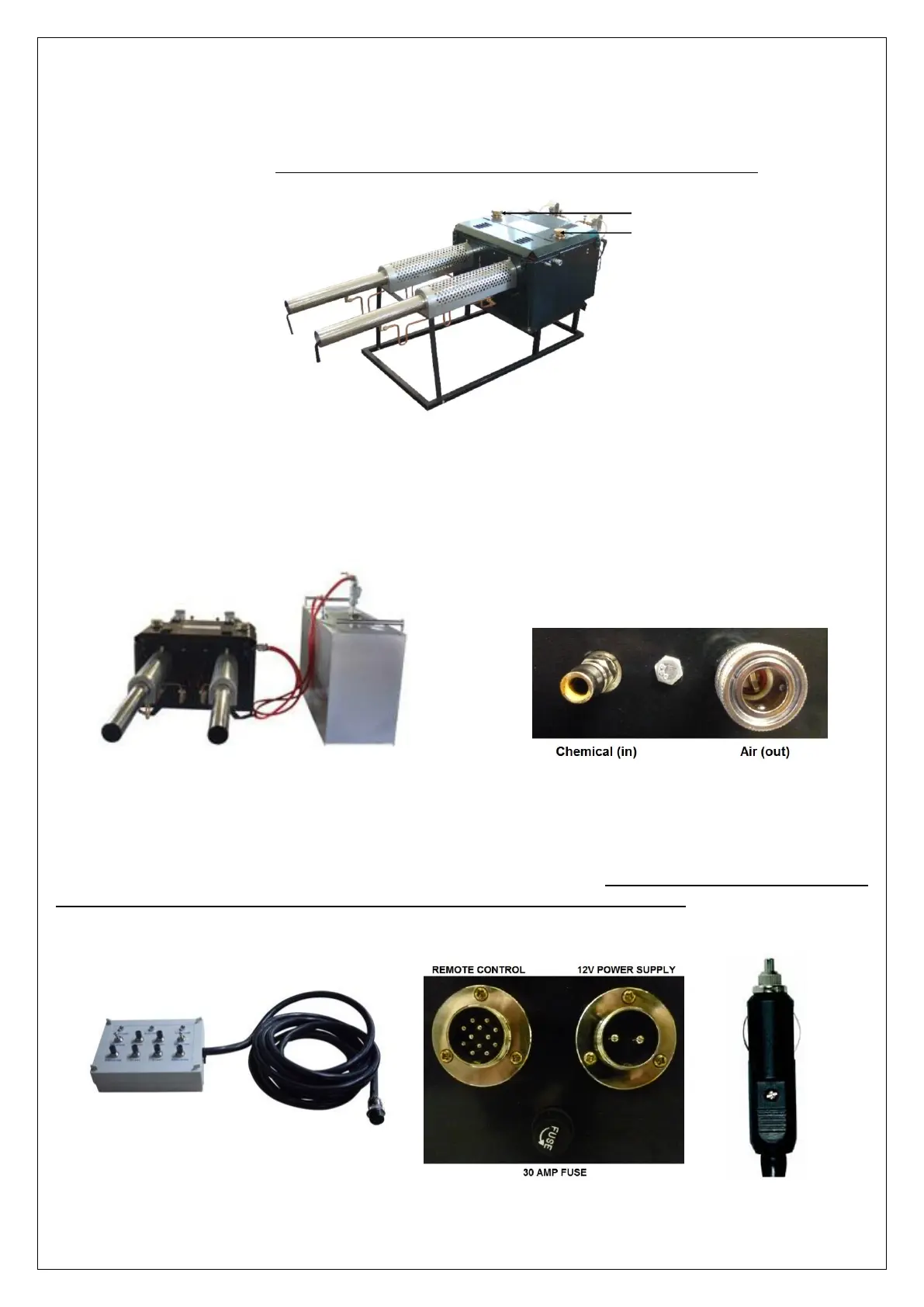
Fill the fuel tank
Fill the tank with undiluted petrol using a funnel. Fill the tank to a third of its capacity. When you finish filling the
tank, close the tank cap tightly. Note: Please make sure you only add the prescribed amount of fuel.
Fill the chemical tank and connect to the thermal fogger
Pour the special fogging chemical mixture into the chemical tank. It is important not to add more chemical mixture
than it’s needed. Leaving remaining chemical in the tank after use, could affect the performance of the machine next
time you use it, as deposits may solidify in the system. When you finish filling the tank, close the tank cap tightly.
Connect the power and remote control
Connect the 12V power lead (right) and remote control cable (left) as indicated in the picture below. Once plugged
in, connect the power lead directly to the battery using the cigarette lighter plug. Red (Positive), Black (Negative).
Once connected, check that the green power light on the control remote is on. Note: Please make sure solution tank
switch on the remote control is turned to the “OFF” position before connecting the power
Fuel Intake (right resonator)
Fuel Intake (left resonator)


 To Next Page