VECTOR 4 USER'S MA.N
UAL
VECTOR 4 OPERATING COMMANDS
SECTION
V
VECTOR 4 OPERATING COMMANDS
When you
sit
down
to
type
at
the keyboard (or console) of your computer, you
work
with
the
operating
system
at
the
command
level.
There
are
several
commands, of a specified format
and
type, which you can give the computer to
make
it
do
what you want.
Command
Entry
Conventions
This
manual, along with
other
Vector Graphic software or user's manuals, uses
the
following
conventions
to
describe
the
keys
used
to
enter
commands.
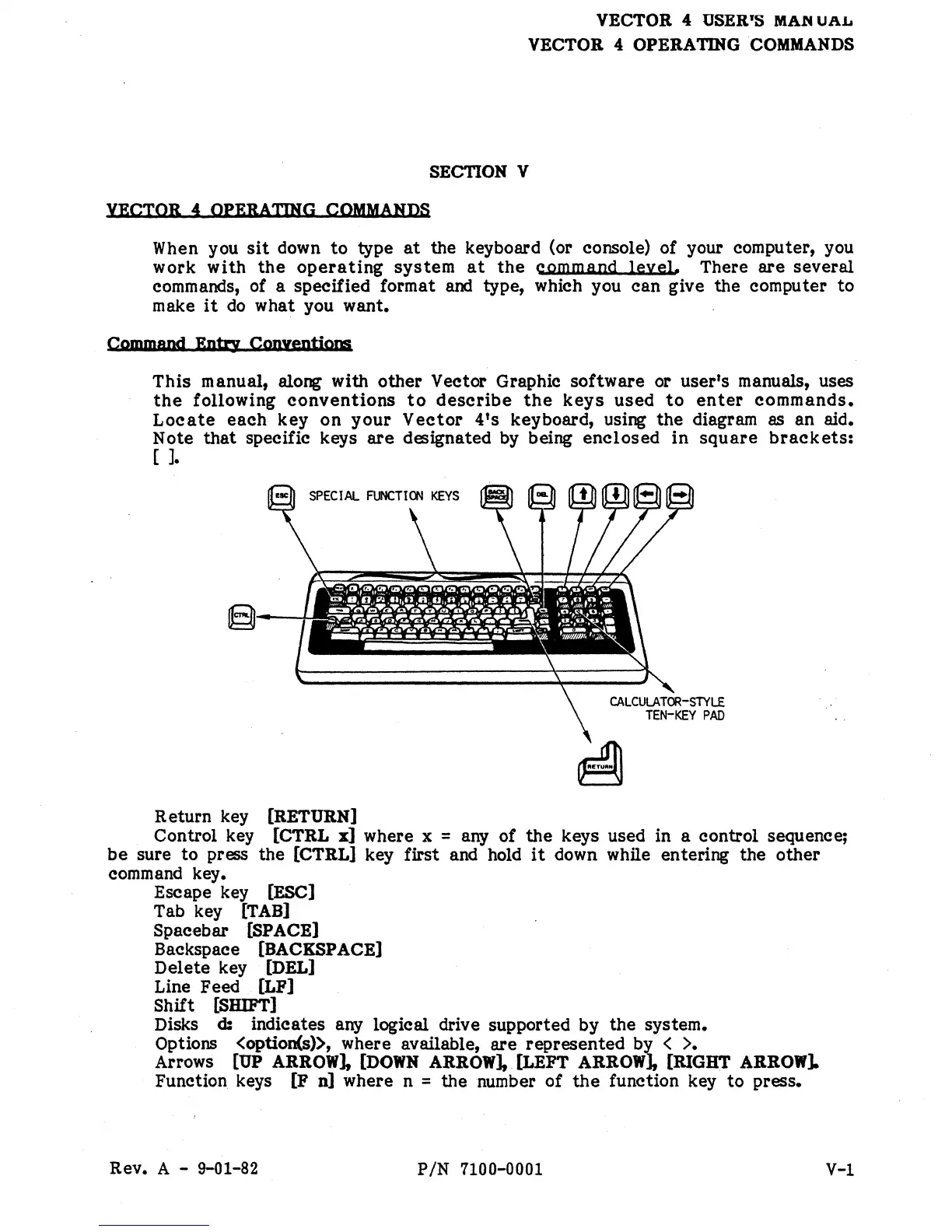
Locate
each
key
on
your
Vector
4's
keyboard, using
the
diagram as an aid.
Note
that
specific keys
are
designated by being
enclosed
in
square
brackets:
[ ].
Return key
[RETURN]
Control key
[CTRL
x]
where x = any of
the
keys used in a control sequence;
be
sure
to
press the
[CTRL]
key first and hold
it
down while entering the
other
command key.
Escape key [ESC]
Tab key
[TAB]
Spacebar [SPACE]
Backspace [BACKSPACE]
Delete key
[DEL]
Line Feed
[LF]
Shift [SHIFT]
Disks
d:
indicates any logical drive supported by
the
system.
Options <option(s», where available,
are
represented
b~
<
>.
Arrows [UP ARROW], [DOWN ARROW],
[LEFT
ARROW J,
[RIGHT
ARROW].
Function keys
[F
n]
where n = the number
of
the
function key
to
press.
Rev.
A - 9-01-82
PIN
7100-0001
V-l


 To Next Page
 Loading...