EasyManua.ls Logo

Vector 4 - Page 140

Vector 4
227 pages
Print Icon
To Next Page IconTo Next Page
To Previous Page IconTo Previous Page
Loading...
09-01-82
VECTOUR
4
TECHNICAL
INFORMATION
To
measure
and
inspect
the
screen
to
make
sure
all
the
video
adjustments
are
correct,
it
will
be
necessary
to
fill
the
screen
with
one
of
three
characters.
The
following
chart
gives
the
characters
used
for
the
four
primary
video
adjustments:
Yideo
ASCII
Adjustment
Chargcter
V.
Linearity
"E"
H.
Linearity
"H"
Contrast/Focus
ngn
Refer
to
Section
III
4.2,
Screen
Test,
for
information
on
filling
screen
with
desired
characters.
Here
is
an
alternate
method.
To
fill
the
screen,
boot
the
Vector
4
and
load
the
BASIC
interpreter
(enter
the
command
MBASIC5
[RETURN]).
Enter
the
following
program:
10
INPUT
E$
20
FOR
I=1
TO
24
30
FOR
J=1
TO
79
40
PRINT
ES;
50
NEXT
J
60
PRINT
70
NEXT
1
80
END
To
keep
this
program
on
your
adjustment
diskette,
enter
the
command
SAVE
"VIDEO",A
[RETURN].
This
will
allow
you
to
use
the
program
on
other
systems without
a
MONITOR
program,
To
run
the
program,
enter
the
command
RUN
[RETURN]
when
the
screen
gives
the
Ok
prompt.
At
the
?,
enter
the
letter
indicated
in
Exhibit
III
2-3 for
the
test
you
are
performing.
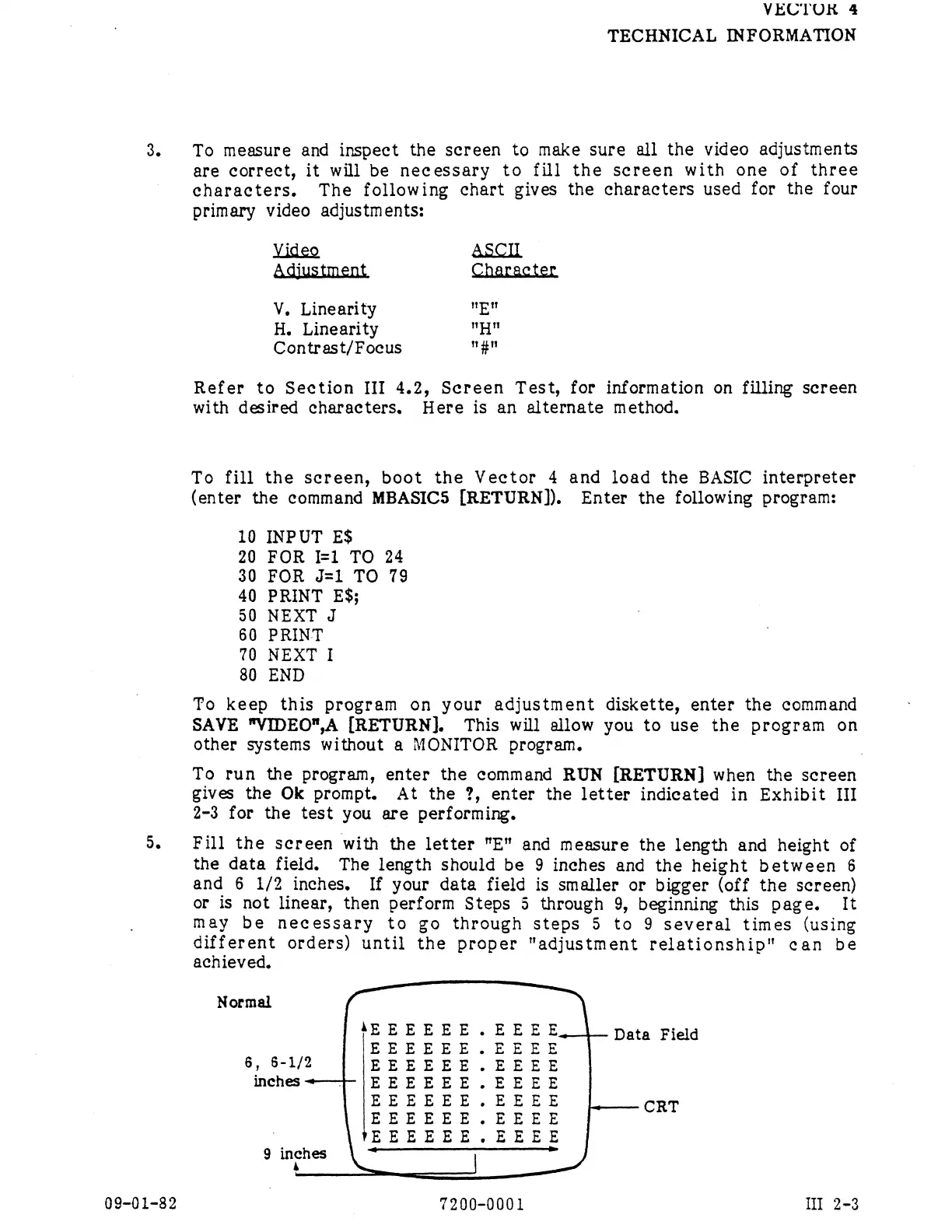
Fill
the
screen
with
the
letter
"E"
and
measure
the
length
and
height
of
the
data
field.
The
length
should
be
9
inches
and
the
height
between
6
and
6
1/2
inches.
If
your
data
field
is
smaller
or
bigger
(off
the
screen)
or
is
not
linear,
then
perform
Steps
5
through
9,
beginning
this
page.
It
may
be
necessary
to
go
through
steps
5
to
9
several
times
(using
different
orders)
until
the
proper
"adjustment
relationship”
can
be
achieved.
Normal
fi
EEEEEE.EEEE
6,
6-1/2
EEEEEE.EEEE
inches«<—+
EEEEEE.EEEE
EEEEEE.EEEE
[,
(g
EEEEEE.EEEE
CRT
'EEEEEE.EEEE
9
infhes
:
7200-0001
I
2-3