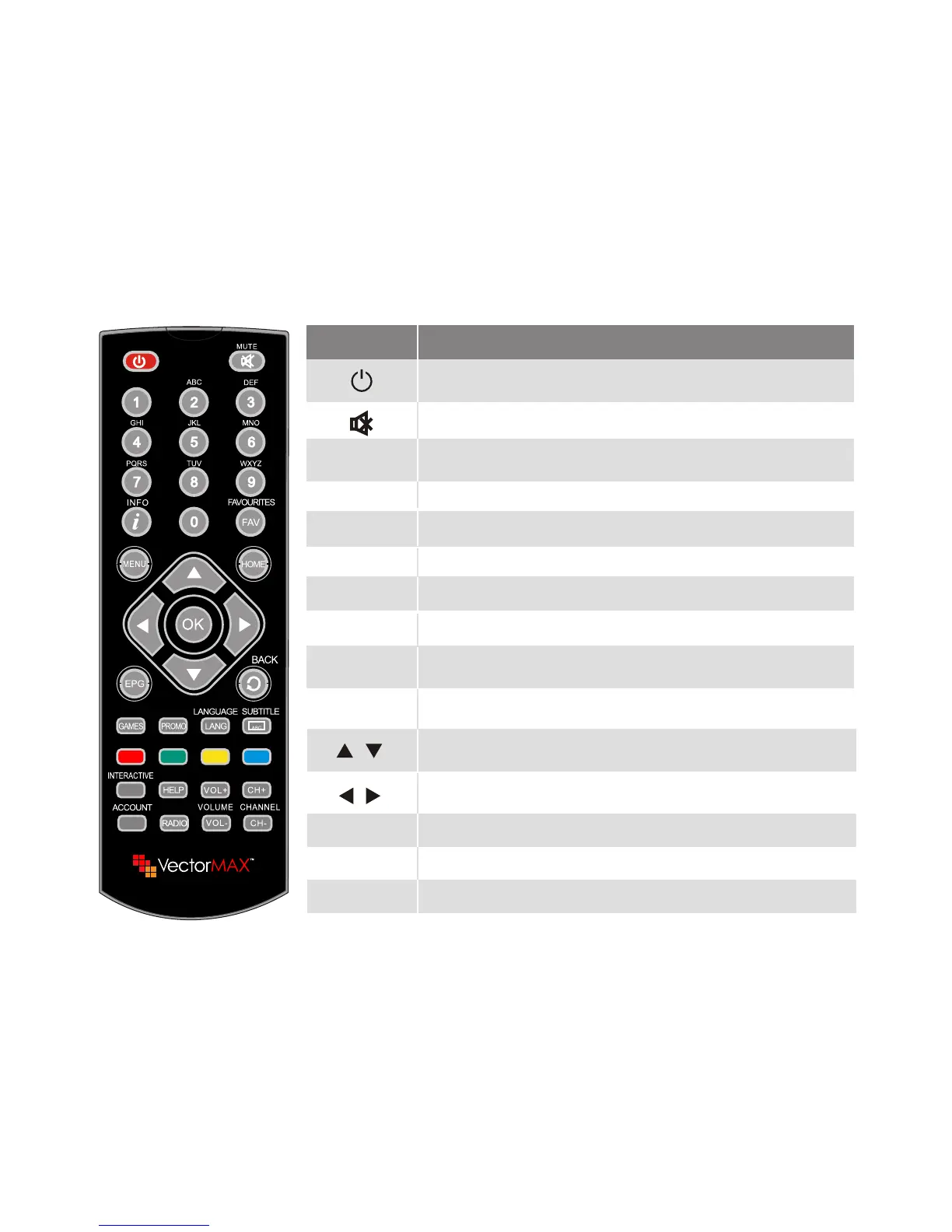
RCU
General information
The picture is only for reference, please make the object as the standard.
Key
Function
Standby On/Off
When watching a channel, mute the sound
0~9
MENU
Enter number of the required menu item or
select a channel number to watch
Press this key one time to run menu onscreen
Displays the favorite group list
Show information of the current channel
FAV
INFO
When watching a channel, change channels or
move to the next higher or lower item in the menu
When watching a channel, adjust the volume or
move to the left or right item in the menu
Call up the EPG (Electronic Program Guide)
EPG
Switches back to previous channel
BACK
HOME
CH+,CH-
VOL+,VOL-
Adjust the channel
Adjust the volume
RADIO
Switch to radio mode
Confirm
OK
7
Enter into launcher screen



 To Next Page