EN
22
Temperature indicator
When the iron is heating up, the Temperature
indicator will flash. Once the iron has reached the
selected temperature, it will illuminate solidly. And the
Temperature indicator will illuminate solidly during
ironing.
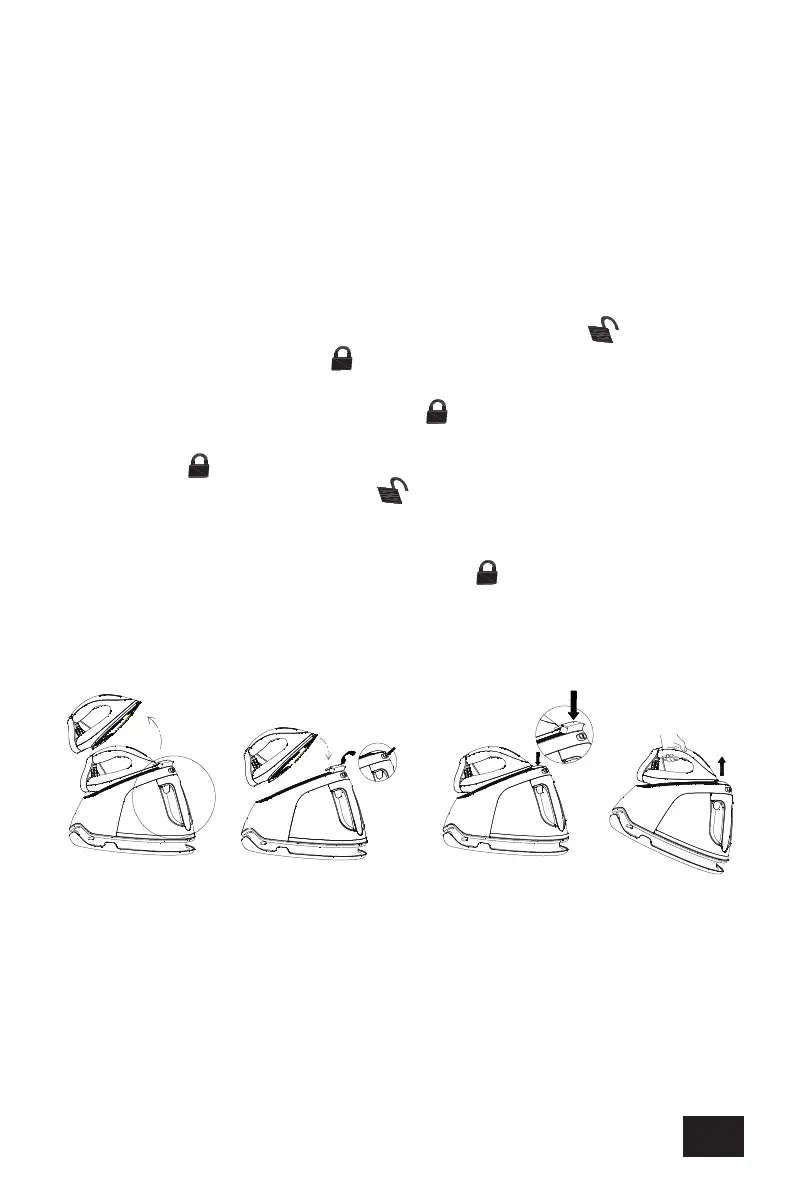
Iron lock and Iron lock release button
When the iron is locked on the thermal insulation
stand, press the Iron lock release button “ ” to
unlock the iron lock “ ”, then the iron can be
removed from the thermal insulation stand for
ironing. When the iron lock “ ” is unlocked, the iron
can be placed on the thermal insulation stand. If the
iron lock “ ” is locked, you should firstly press the
Iron lock release button “ ” to unlock and then the
iron can be placed on the thermal insulation stand.
When the iron is placed on the thermal insulation
stand, press down the iron lock “ ” and then the
iron is locked on the thermal insulation stand, at that
time, the whole appliance can be lifted up for
carrying conveniently (see Fig.2).
Fig.2
Power button
Plug in the appliance and press down the Power
button, the Power indicator will illuminate, the Steam
rate 1 is regarded as defaulted one and its indicator
will flash. Hold and press the Power button for about 2


 To Next Page
 Loading...