7.Calibrate the Compass
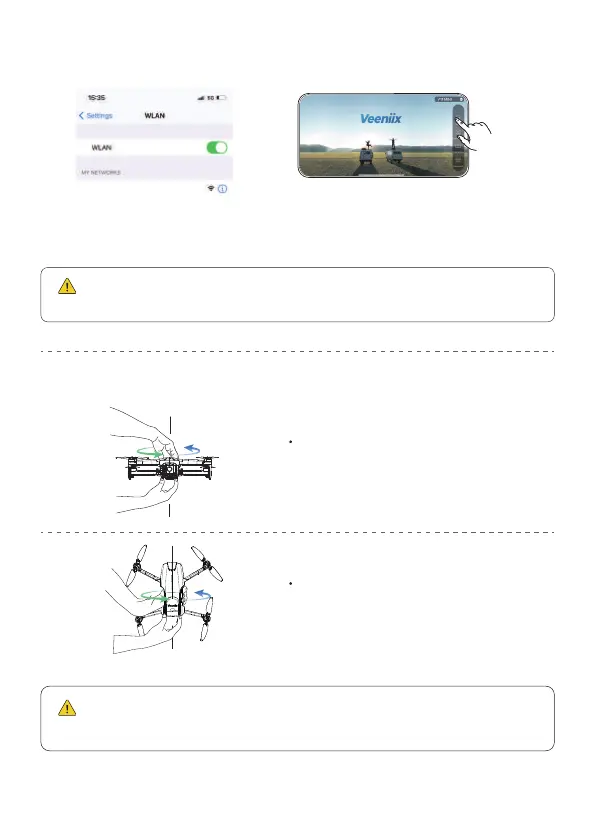
6.Connect to Wi-Fi
Connect the mobile phone
to the aircraft's Wi-Fi.
Enter the app operation interface,
and tap the "Control" icon.
Rotate the aircraft vertically 360°
until you hear a “beep” sound.
No fixed direction of rotation required
( About 3 turns )
Rotate the aircraft horizontally 360°
until you hear a “beep” sound.
No fixed direction of rotation required
( About 3 turns )
Please keep the aircraft flat when rotating horizontally, otherwise
it will take more turns to complete the calibration.
Please refer to User Manual "Wi-Fi Connection" section for more
details.
Veeniix_V11_Mini_******
16Copyright ©2023 Veeniix All Rights Reserved.



 To Next Page