10 11
EN
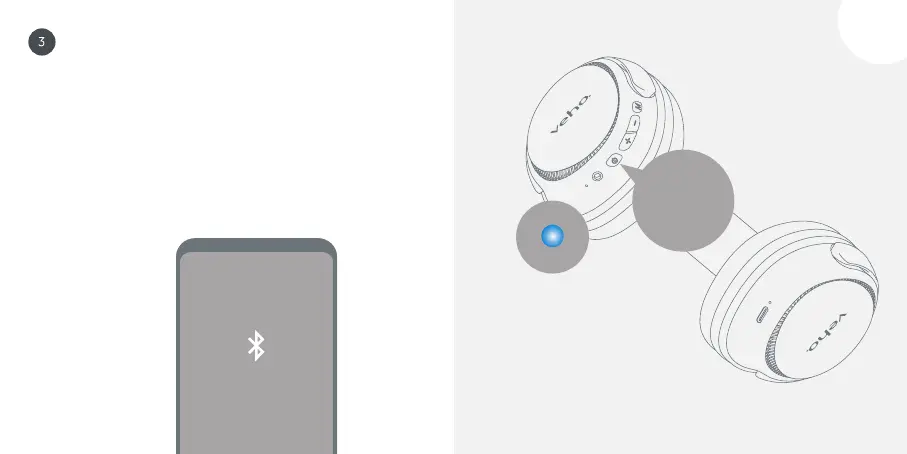
Pairing with a device Press and hold the power button
for 3 seconds to switch the headphones on, the
headphones will automatically enter pairing mode,
and the status LED will flash red/blue. Select ‘Veho
ZB-4’ from the Bluetooth
®
menu on your device, once
connected, the status LED will remain blue.
Pairing
‘Veho ZB-4’
3 secs



 To Next Page