
 Need help?
Do you have a question about the VEKOOTO SW5-1 and is the answer not in the manual?
Details the functions of the three control buttons on the monitor's rear.
Instructions on how to attach the monitor to its mounting bracket.
Resolves no signal issues and explains the pairing process for the camera.
Provides a solution for weak signal problems using an extended antenna.
Addresses camera screen delay and signal interference issues.
Advises on the model to purchase for adding a second camera.
This document serves as the Operating Instructions & Installation Guide for the VEKOOTO SW5-1 Portable Backup Camera with 5" Monitor, featuring a built-in battery and solar panel.
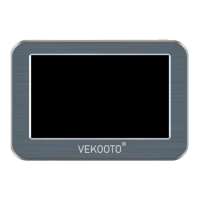
The VEKOOTO SW5-1 is a portable backup camera system designed to assist users with parking and maneuvering vehicles. It comprises a camera unit with a solar panel for charging and a 5-inch monitor for displaying the camera feed. The system is intended to provide a clear view of the area behind the vehicle, enhancing safety and convenience. The camera is equipped with infrared light for night vision and a magnetic base for easy installation. The monitor supports multiple channels and can display a split screen, allowing for simultaneous viewing from different cameras if additional units are added. Parking guidelines can be turned on or off via the monitor controls.
The package includes:
The monitor is operated using three buttons located on its left rear side:
The camera features an antenna for signal transmission, infrared lights for night vision, solar panels for charging, and a magnetic base for easy attachment. It also includes a Type-C charging port with a waterproof rubber cover.
The blue battery indicator on the camera will light up when the camera is enabled. When charging, the blue power indicator will flash. Once fully charged, the flashing will stop.
When the camera's solar panel is exposed to sunlight, it will begin charging, indicated by the blue light flashing. To turn the camera on or off, it may be necessary to cover the solar panel to check its status.
The monitor bracket is installed by aligning its four protrusions with the grooves on the monitor and pushing it up. The camera uses a magnet base for adsorption installation.
Blue Screen/No Signal:
Weak Signal for Long Distance Use: An extended antenna is included in the packaging. Install it on the camera to enhance the signal range.
Camera Screen Delay (Short Distance):
Adding a Second Camera: To add a second camera, search for "B0BS6BWXZV" on Amazon.
The camera's built-in battery and solar panel provide a degree of self-sufficiency for power, reducing the need for constant manual charging. The IP68 waterproof rating ensures durability against water and dust, contributing to the camera's longevity and reliability in various weather conditions. The magnetic base allows for easy installation and removal, which can simplify maintenance or repositioning.
For any issues, including broken/missing items, dissatisfaction with the product, wrong orders, technical support needs, or problems during use, customers are encouraged to contact the after-sales team via email at VEKOOTO@OUTLOOK.COM. All messages will be answered within 12 hours, providing prompt assistance and support.
 General
| Brand | VEKOOTO |
|---|---|
| Model | SW5-1 |
| Category | Automobile Accessories |
| Language | English |

 To Next Page