76
77
Owner’s Manual
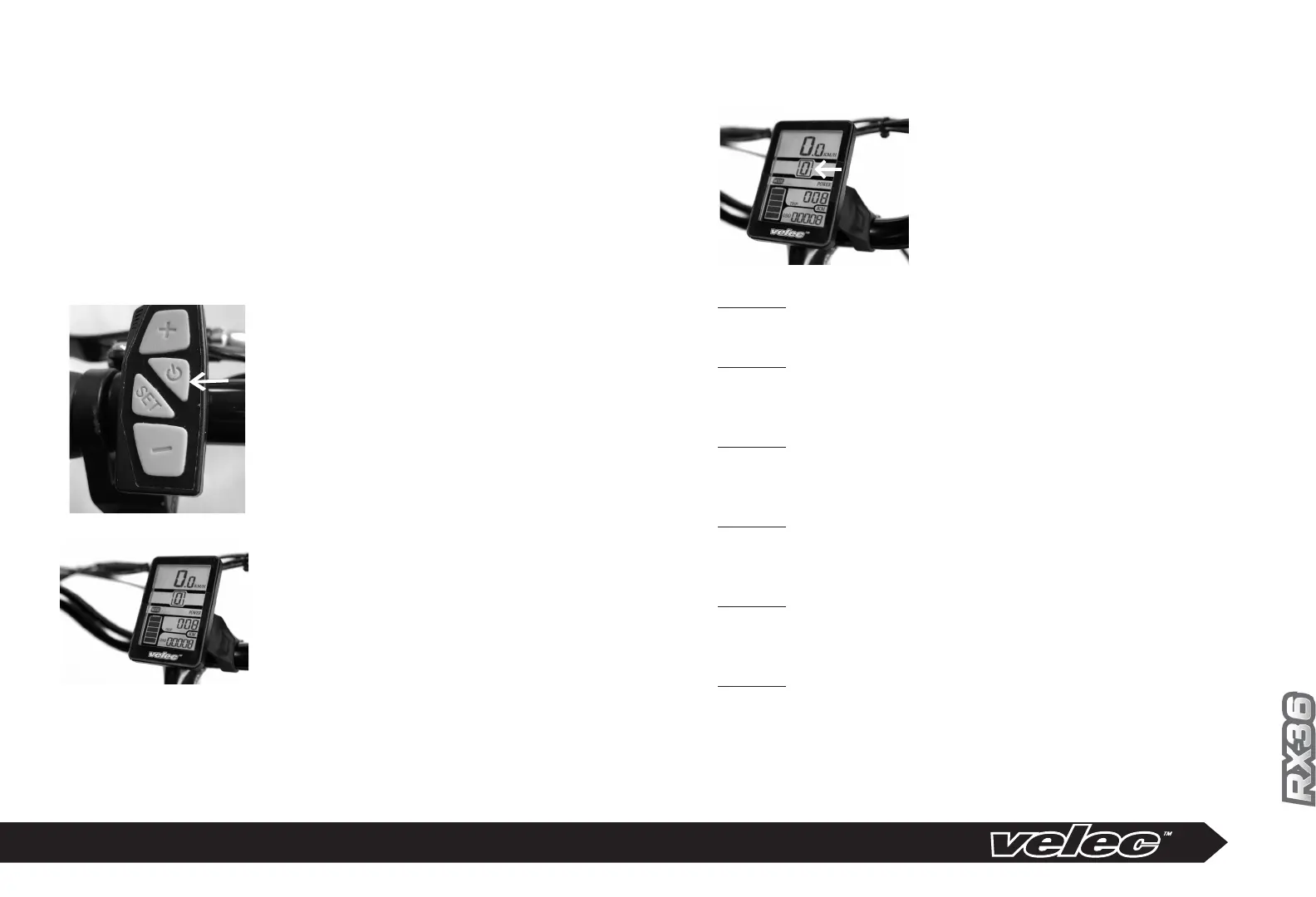
Assistance Level Selector on
Control Panel
5 ASSISTANCE LEVELS
Turn the motor on, press the assis-
tance level selector on the LCD
Control Panel and choose one of
the 6 positions.
Optional LCD Control Panel
Position 0
In this mode when you pedal or use the throttle, the motor will never turn ON.
The electric bicycle can be pedaled as a regular bicycle in this position.
Position 1
When you pedal, the motor starts and provides you with 20% of assistance to
easily reach 10km/h. Beyond the 10km/h speed, the motor slowly reduces its
assistance allowing the cyclist to provide more effort.
Position 2
When you pedal, the motor starts and provides you with 35% of assistance to
easily reach 15km/h. Beyond the 15km/h speed, the motor slowly reduces its
assistance allowing the cyclist to provide more effort.
Position 3
When you pedal, the motor starts and provides you with 55% of assistance to
easily reach 20km/h. Beyond the 20km/h speed, the motor slowly reduces its
assistance allowing the cyclist to provide more effort.
Position 4
When you pedal, the motor starts and provides you with 75% of assistance to
easily reach 25km/h. Beyond the 25km/h speed, the motor slowly reduces its
assistance allowing the cyclist to provide more effort.
Position 5
When you pedal, the motor starts and provides you with 100% of assistance
to easily reach 32km/h. Beyond this point, the motor does not provide any
assistance.
MODEL RX36
To activate the RX36, make sure that the battery is locked within the frame
then press I/O on the right side of the battery and then the I/O button on
the handlebar. The LCD panel will show Assistance mode 0.
In order to use the assistance or the throttle, select the assistance level
from 1 to 5 on the LCD panel.
If you shutdown the bicycle with the I/O on the handlebar or
on the battery, the assistance Level will return to 0 when you reactivate for
security purpose.
LCD panel at assistance
level 0
Start button on the
console
LCD panel


 To Next Page
 Loading...