52
53
Owner’s Manual
36V
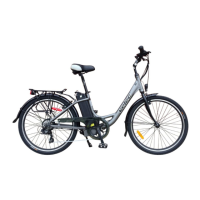
MODELS RX36/36V
First, make sure that the battery is lock within the frame.
To activate the RX36, press -/O on the right side of the battery and -/O on
the left side of the handlebar. The LCD panel will show Assistance mode 0.
In order to use the assistance or the throttle, select the assistance level
between, 1 to 5 on the LCD panel.
If you shutdown the bicycle with the -/O on the left side of handlebar or
on the battery, the assistance Level will return to 0 when you reactivate for
security purpose.
Button on
handlebar
Analogue
console
LCD Panel with
the assistance
mode 0
Optional Digital
Control Panel
Assistance Level Selector on
Digital Control Panel
6 ASSISTANCE LEVELS
Turn the motor on, press the assistance level selector on the Digital Control
Panel and choose one of the 6 positions.
Position 0
When you pedal or use the throttle, the motor will not turn ON.
Position 1
When you pedal, the motor turns on and gives you approximately 10%
assistance. This means moving forward at low speed on a level road, for
example, will require slightly less effort.
Position 2
When you pedal, the motor starts and provides about 25% assistance.
This means less effort for you if you are travelling at low speed on a level
road with a slight headwind.
Position 3
As you pedal, the motor starts and gives about 50% assistance. This
means you will not have to exert yourself as much to go up a slight hill.
Position 4
Once you pedal, the motor starts and gives about 75% assistance.
This will help you go up a good-sized hill.
Position 5
As you pedal, the motor starts and provides about 100% power. This
means you will find it easier to go up steep hills or move forward against
strong headwinds.
Optional Digital Control Panel
Analogue console


 To Next Page
 Loading...