EasyManua.ls Logo

Velleman CAMIP7N - User Manual

Velleman CAMIP7N
201 pages
Print Icon
To Next Page IconTo Next Page
Loading...
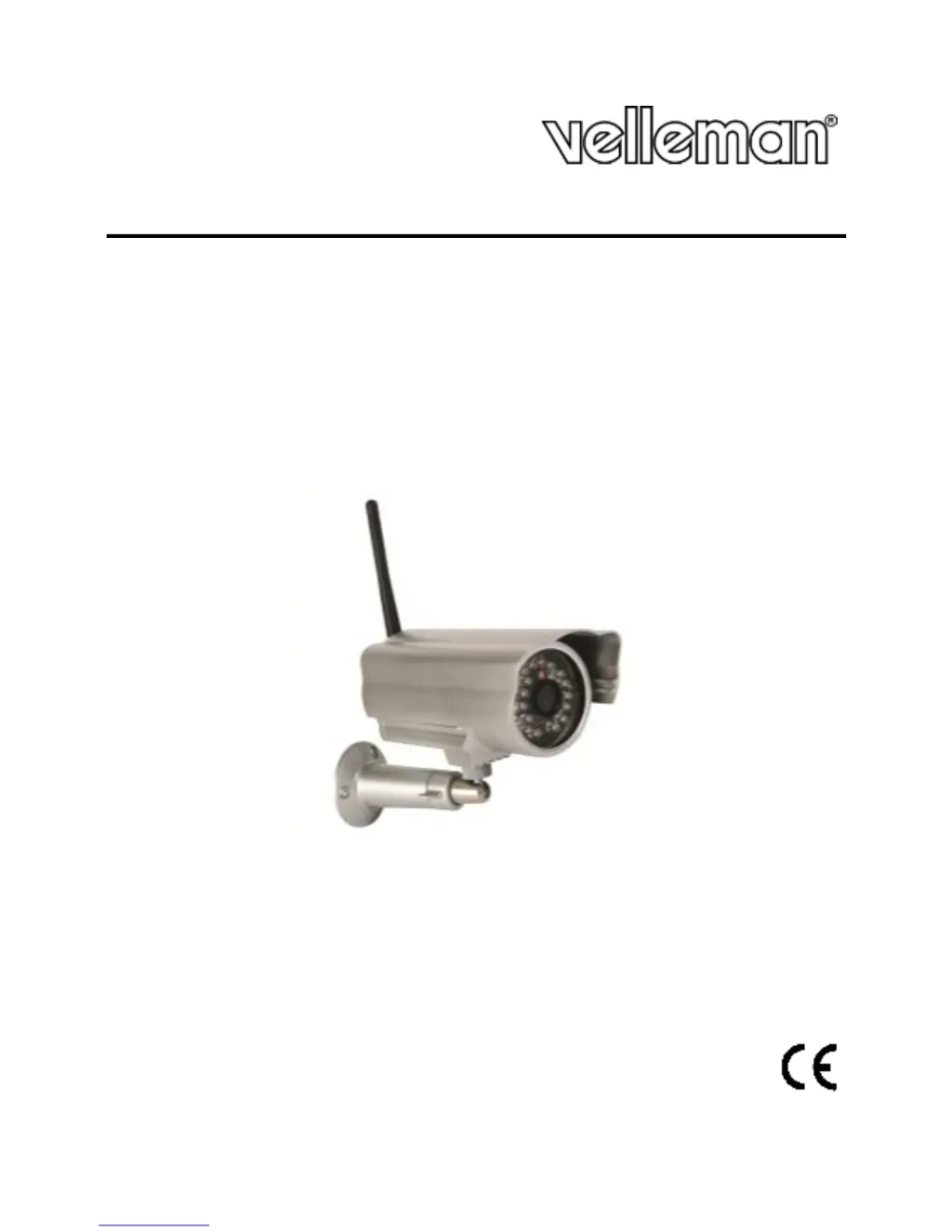
CAMIP7N
WIRELESS IP COLOUR CAMERA
DRAADLOZE IP KLEURENCAMERA
CAMÉRA COULEUR IP SANS FIL
CÁMARA IP INALÁMBRICA A COLOR
DRAHTLOSE IP-FARBKAMERA
CÂMARA IP CILÍNDRICA SEM FIOS, A CORES
BEZPRZEWODOWA KOLOROWA KAMERA SIECIOWA
USER MANUAL 3
GEBRUIKERSHANDLEIDING 30
MODE D'EMPLOI 57
MANUAL DEL USUARIO 84
BEDIENUNGSANLEITUNG 110
INSTRUKCJA OBSŁUGI 138
MANUAL DO UTILIZADOR 167

Questions and Answers

Summary

Safety Instructions

General Safety Warnings

Highlights critical safety measures including keeping the device away from children, avoiding electroshocks, and prohibiting disassembly.

Product Features

Key Functionalities Overview

Lists primary features such as easy installation, wireless/wired connectivity, night vision, motion detection, and compatibility.

Hardware Installation and Operation

Camera Placement Guidelines

Offers advice on selecting an optimal and safe installation location, considering temperature, magnetic fields, and bright objects.

Software Installation

Software Installation Procedure

Guides on installing the required IP Camera Tool software on a computer for camera operation.

Microsoft Windows Setup

Details software requirements (browsers) and installation steps for the IP Camera Tool on Microsoft Windows systems.

Apple Macintosh Setup

Details software requirements (browsers) and installation steps for the IP Camera Tool on Apple Macintosh systems.

Using the IP Camera Tool

Initial Setup and Capabilities

Explains the initial setup of the IP Camera Tool, its capabilities for user management, and multi-camera handling.

Starting the Surveillance Software

Provides step-by-step instructions on launching the IP Camera Tool and connecting it to the camera.

Login Process and User Types

Guides through the login process, including default credentials, browser modes, and different user roles (Admin, Operator, Visitor).

Camera View and Control Interface

Introduces the camera's live view interface and the software controls available for managing its functions.

Camera Control Options

Explains various camera settings like OSD, resolution, brightness, contrast, flip, and mirror image functions.

Advanced IP Camera Tool Settings

Network Configuration

Enables viewing and modifying network settings, including IP address, subnet mask, gateway, and DNS server.

Device Management

User Settings and Permissions

Manages user accounts, defining user names, passwords, and access levels (Administrator, Operator, Visitor).

Basic Network Settings

Configures fundamental network parameters like IP address acquisition method (DHCP/Static) and network lamp status.

Wireless LAN Settings

Guides on scanning, connecting to, and configuring wireless networks, including SSID, encryption, and security.

Error Message Troubleshooting

Lists common error messages and provides suggested solutions for troubleshooting operational issues.

Alarm Service Settings

Manages alarm triggers such as motion detection, sound detection, and configures associated actions like email or FTP uploads.

Restore Factory Settings

Guides on resetting the camera to its default factory configuration, clearing all user-customized settings.

Additional Information

Troubleshooting

Summary

Safety Instructions

General Safety Warnings

Highlights critical safety measures including keeping the device away from children, avoiding electroshocks, and prohibiting disassembly.

Product Features

Key Functionalities Overview

Lists primary features such as easy installation, wireless/wired connectivity, night vision, motion detection, and compatibility.

Hardware Installation and Operation

Camera Placement Guidelines

Offers advice on selecting an optimal and safe installation location, considering temperature, magnetic fields, and bright objects.

Software Installation

Software Installation Procedure

Guides on installing the required IP Camera Tool software on a computer for camera operation.

Microsoft Windows Setup

Details software requirements (browsers) and installation steps for the IP Camera Tool on Microsoft Windows systems.

Apple Macintosh Setup

Details software requirements (browsers) and installation steps for the IP Camera Tool on Apple Macintosh systems.

Using the IP Camera Tool

Initial Setup and Capabilities

Explains the initial setup of the IP Camera Tool, its capabilities for user management, and multi-camera handling.

Starting the Surveillance Software

Provides step-by-step instructions on launching the IP Camera Tool and connecting it to the camera.

Login Process and User Types

Guides through the login process, including default credentials, browser modes, and different user roles (Admin, Operator, Visitor).

Camera View and Control Interface

Introduces the camera's live view interface and the software controls available for managing its functions.

Camera Control Options

Explains various camera settings like OSD, resolution, brightness, contrast, flip, and mirror image functions.

Advanced IP Camera Tool Settings

Network Configuration

Enables viewing and modifying network settings, including IP address, subnet mask, gateway, and DNS server.

Device Management

User Settings and Permissions

Manages user accounts, defining user names, passwords, and access levels (Administrator, Operator, Visitor).

Basic Network Settings

Configures fundamental network parameters like IP address acquisition method (DHCP/Static) and network lamp status.

Wireless LAN Settings

Guides on scanning, connecting to, and configuring wireless networks, including SSID, encryption, and security.

Error Message Troubleshooting

Lists common error messages and provides suggested solutions for troubleshooting operational issues.

Alarm Service Settings

Manages alarm triggers such as motion detection, sound detection, and configures associated actions like email or FTP uploads.

Restore Factory Settings

Guides on resetting the camera to its default factory configuration, clearing all user-customized settings.

Additional Information

Troubleshooting

Velleman CAMIP7N Specifications

General IconGeneral
BrandVelleman
ModelCAMIP7N
CategoryIP Camera
LanguageEnglish

Related product manuals