6
set-up
2. SET-UP
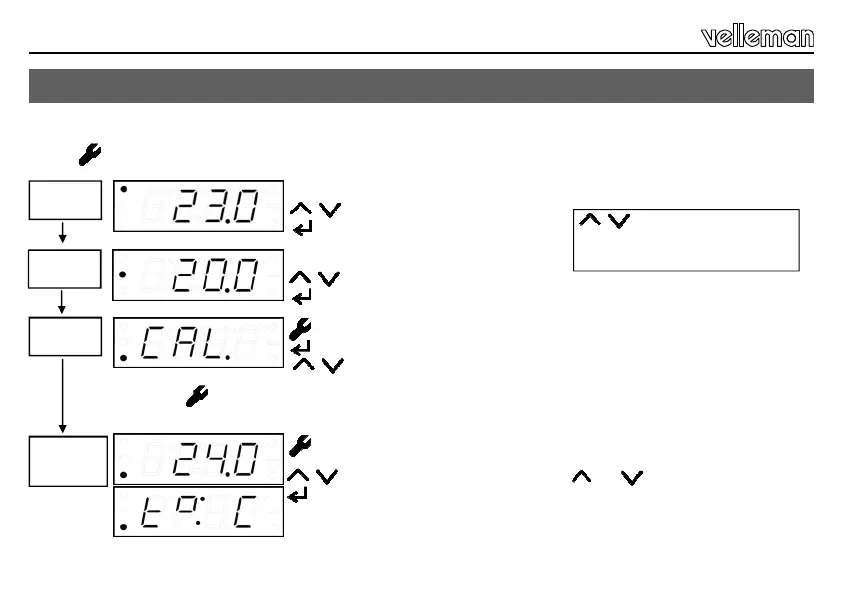
Temp. A
Temp.
readout
The actual measured temperature is displayed at power-on or in normal mode.
Press to access the set-up menu.
Temp. B
The Temp°B indication is displayed.
Temperature modification.
Confirmation.
The Temp°A indication is displayed.
Temperature modification.
Confirmation.
Calibrate
No modification needed.
Confirmation.
Temperature modification according to a calibrated thermometer.
Press under MENU to abort the setting or to return to the default settings.
Press MENU in the standard temperature display until the “t° :” indication
is displayed.
Temperature display modification.
Confirmation.
°F °C
Keep pressed to speed up the
scrolling.


 To Next Page