The VMA412 is a 2.8-inch touch screen shield designed for use with Arduino® UNO/MEGA boards, providing an easy way to add a graphical user interface to your projects. It comes fully assembled, tested, and ready-to-use, requiring no soldering or additional cables. Users can simply plug the shield into their Arduino board, load the necessary library, and have the display operational in under 10 minutes.
Function Description:
The VMA412 serves as an output device for Arduino projects, allowing for visual feedback and interactive control through its touch screen capabilities. It integrates a 2.8-inch display and a microSD slot, expanding the functionality of Arduino boards by enabling the display of graphics and the storage/retrieval of data from an SD card. The touch screen allows for user input, making it suitable for a wide range of interactive applications.
Important Technical Specifications:
- Display Size: 2.8 inches
- Resolution: 240 RGB (H) x 320 (V)
- Colour Depth: 262,000 colours (selectable colour depth mode by software)
- Full-colour mode (Idle mode OFF): 262,000 colours
- Reduced colour mode (Idle mode ON): 8 colours
- System Interface:
- 8-bits, 9-bits, 16-bits, 18-bits interface with 8080-I / 8080-II series MCU
- 6-bits, 16-bits, 18-bits RGB interface with graphic controller
- 3-line / 4-line serial interface
- Operating Temperature: -40 °C to +85 °C
- Arduino® Pin Connections:
- SIG: D7
- VCC: +5 V
- GND: GND
- V+/V-: Motor connections
- VIN/GND: Motor power supply
Usage Features:
- Plug-and-Play: The shield is designed for ease of use, requiring no complex setup or soldering. It directly plugs into compatible Arduino boards.
- Touch Screen Interface: Provides interactive input capabilities, allowing users to control their Arduino projects through touch gestures.
- MicroSD Slot: Enables data storage and retrieval, useful for displaying images, logging data, or storing configuration files for the display.
- Compatibility: Specifically designed for Arduino® UNO/MEGA boards, ensuring broad compatibility with popular Arduino platforms.
- Open-Source Platform: Leverages the Arduino open-source ecosystem, allowing access to a wide range of libraries, examples, and community support for development.
- Quick Setup: The manufacturer claims the display can be up and running in less than 10 minutes with the appropriate library.
- Indoor Use: The device is intended for indoor use only and should be kept away from rain, moisture, splashing, and dripping liquids.
Maintenance Features:
- General Care: Keep the device clean and dry. Avoid exposing it to extreme temperatures or sudden temperature changes. If the device has been exposed to temperature changes, allow it to reach room temperature before switching it on.
- Environmental Responsibility: The product's packaging and the device itself bear a symbol indicating that it should not be disposed of as unsorted municipal waste. Instead, it should be taken to a specialized recycling company or returned to the distributor or a local recycling service, adhering to local environmental rules.
- User Maintenance: Cleaning and user maintenance should not be performed by children without supervision.
- Warranty: The device is covered by a 24-month warranty on production flaws and defective material from the original date of purchase. However, the warranty does not cover damage caused by improper handling, negligence, abuse, or use contrary to manufacturer's instructions, nor does it cover modifications made by the user.
- Troubleshooting: Before seeking repair, users are advised to reread the manual and check for obvious causes of any issues to save on costs and time.
- Original Accessories: Use this device only with original accessories to prevent damage or injury and to ensure warranty validity.

 Need help?
 General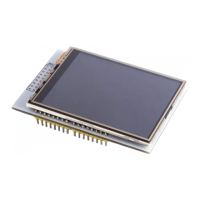

 To Next Page