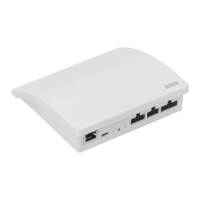
Two instructions are supplied with the interface (A and B).
Set-up via tablet, computer or
smartphone
The supplementary instructions will
help you set up the interface via a
tablet, computer or smartphone
and enable more advanced interface
settings.
Note: It is not possible to control
VELUX INTEGRA
®
products from the
smart device.
Set-up via a VELUX INTEGRA
®
control
The instructions will help you set up
the interface with VELUX INTEGRA
®
controls. The instructions contain the
default settings and functions that
can be seen in the table of contents on
the next page.
Congratulations on your new VELUX INTEGRA
®
product!
Thank you for buying this VELUX INTEGRA
®
product.
The product can be used as an interface or as a repeater.
The interface function is used when io-homecontrol
®
products are to
be controlled via external control devices that are not io-homecontrol
®
compatible.
The repeater function is used if you want to extend the operation range
of controls in the system by transmitting received wireless commands.
Contents
Contents of packaging 6
Product overview 7
Default settings 7
Important information and Warnings 8-9
Function as interface
Functions of inputs 10-12
Registration of products 13
Registation with VELUX INTEGRA
®
control pad KLR 200 14-18
Registration with VELUX INTEGRA
®
control keypad KLI 110 19-21
Function of outputs 22
Resetting 23
Change of configuration 23
Function as repeater 24-26
Own notes 27



 To Next Page
 Loading...