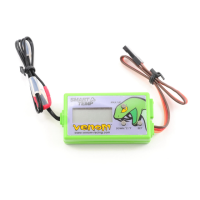
Venom Smart Temp / Fail Safe Instructions
VEN-0605i-1
Pg. 1/4
Thank you for purchasing the Venom Smart Temp (VST). These instructions will help you navigate through the many
features of this advanced on-board monitoring system. Please take a minute and read through these instructions to
familiarize yourself with the Venom Smart Temp before installing and using it. A few minutes up front will make the installation
and programming easier to understand.
1. Getting to know your Venom Smart Temp / Fail Safe
Features:
• Current Engine Temp with Peak Temp Recall
• Overheat Fail Safe with Programmable Throttle Limiter
• Digital Volt Meter with Low Voltage Fail Safe
• Radio Fail Safe with Automatic Braking.
The smart temp is designed for 4.8 to 6.0 volt radio systems and
temperatures ranging between 122º-392ºF (50º-200ºC). Using
higher voltages and temperatures may damage the module and
void the manufacturer’s warranty.
MAX/UP
Press to see maximum temperature recorded
when in the main screen or to increase a value
during setup modes.
DOWN/ ºC/ ºF
Press to decrease a value during setup modes
or use to select between Celsius and Fahrenheit
temperature readings when in the main screen
.
SET
Press to scroll through setup screens and
sub menus.
Temperature Probe Loop
Engine Head
Note: For best results,
make sure the probe
loop is as close to the
bottom of the head as
possible and the red
portion is 90º-180º
away from the exhaust
port.
Probe Loop End
Crankcase
Red
From Throttle Servo
Negative (-)
Positive (+)
Signal (s)
To Receiver
021 c6.5v 070 f
2. Main Screen
The Main Screen switches every 5 seconds between Voltage and Temp Readings. To switch the Temp Reading from Celsius to
Fahrenheit and back, press the Down/ ºC/ ºF once when the Temp screen is displayed.
Note: When using the Venom Smart Temp, always turn the
transmitter on first, then the receiver.
5 seconds DOWN/ ºC / ºF


 To Next Page
 Need help?
 General