For Additional Help, Visit
support.getvera.com
+1 (866)-966-2272
support@getvera.com
QSG-VERAPLUSV1
Installation
1
2
1
2
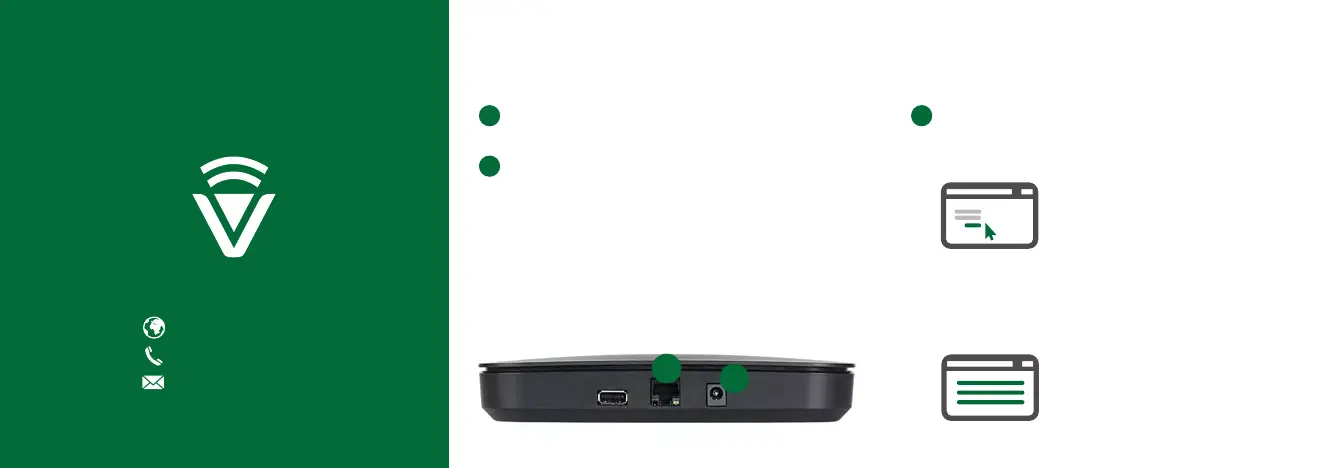
Firmly connect the provided Ethernet Cable from your
VeraPlus to your Wi-Fi router (or other Internet source).
Firmly connect the AC Power Adapter to VeraPlus and
plug it into an AC outlet. VeraPlus has no on/off switch.
It will power up as soon as you plug in the AC adapter.
3
If you are a new user, click
the “I have a new controller”
button on the screen. Agree to the
terms and conditions. Then select
your Controller.
If you already have an account,
please login. Click the “Add another
controller” button. Then select
your Controller.
Follow the Setup Instructions.
To setup your controller, go to http://home.getvera.com


 To Next Page