42
EZ MODE
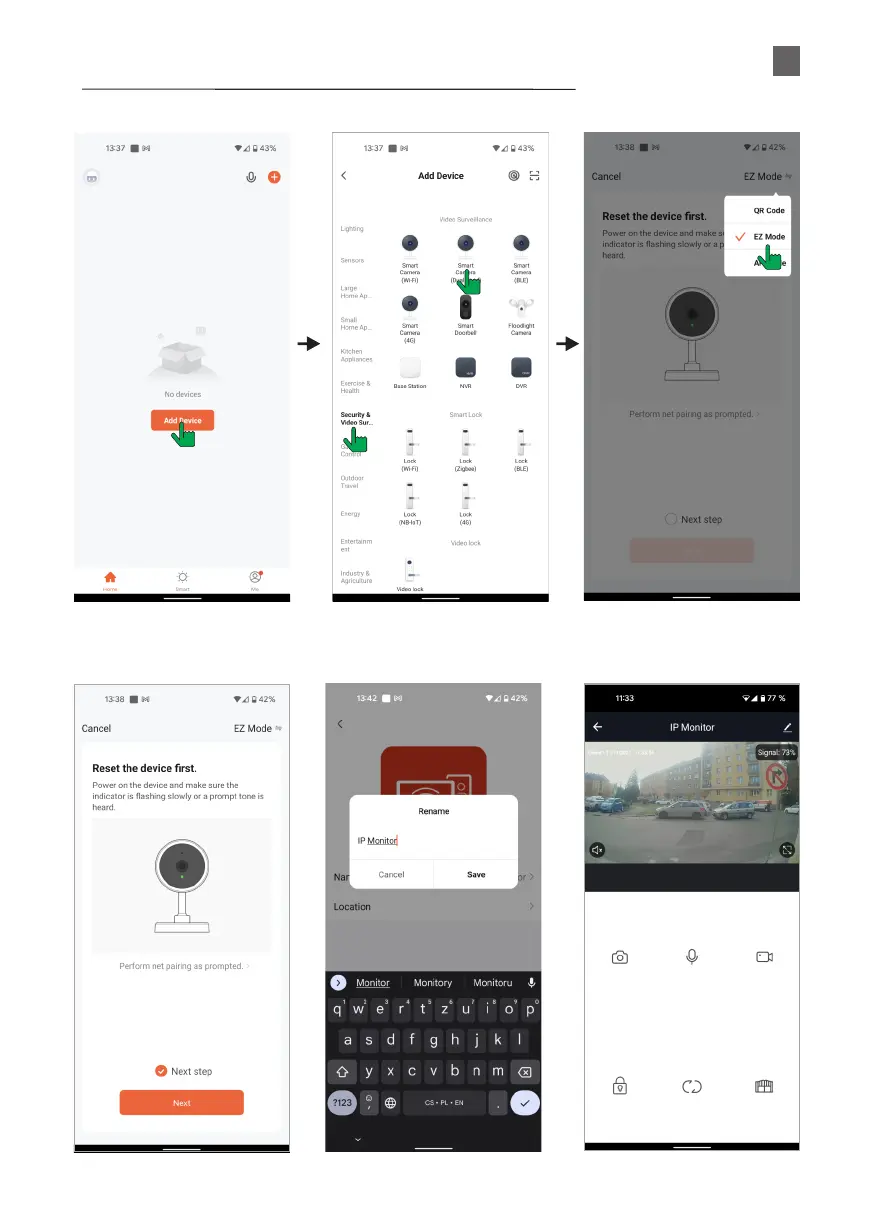
To connect to the Wi-Fi router, just use your mobile phone and enter the password for your Wi-Fi network (no
need to set up the monitor) as shown below.
➀
➁
➂
➃
Open Tuya and click Add Device
Video Surveillance >
Camera (Dual Band)
Choose EZ Mode to match WIFI
password. Please be patient,
it takes about 40s~60s
EN


 To Next Page