Removing the SIM card
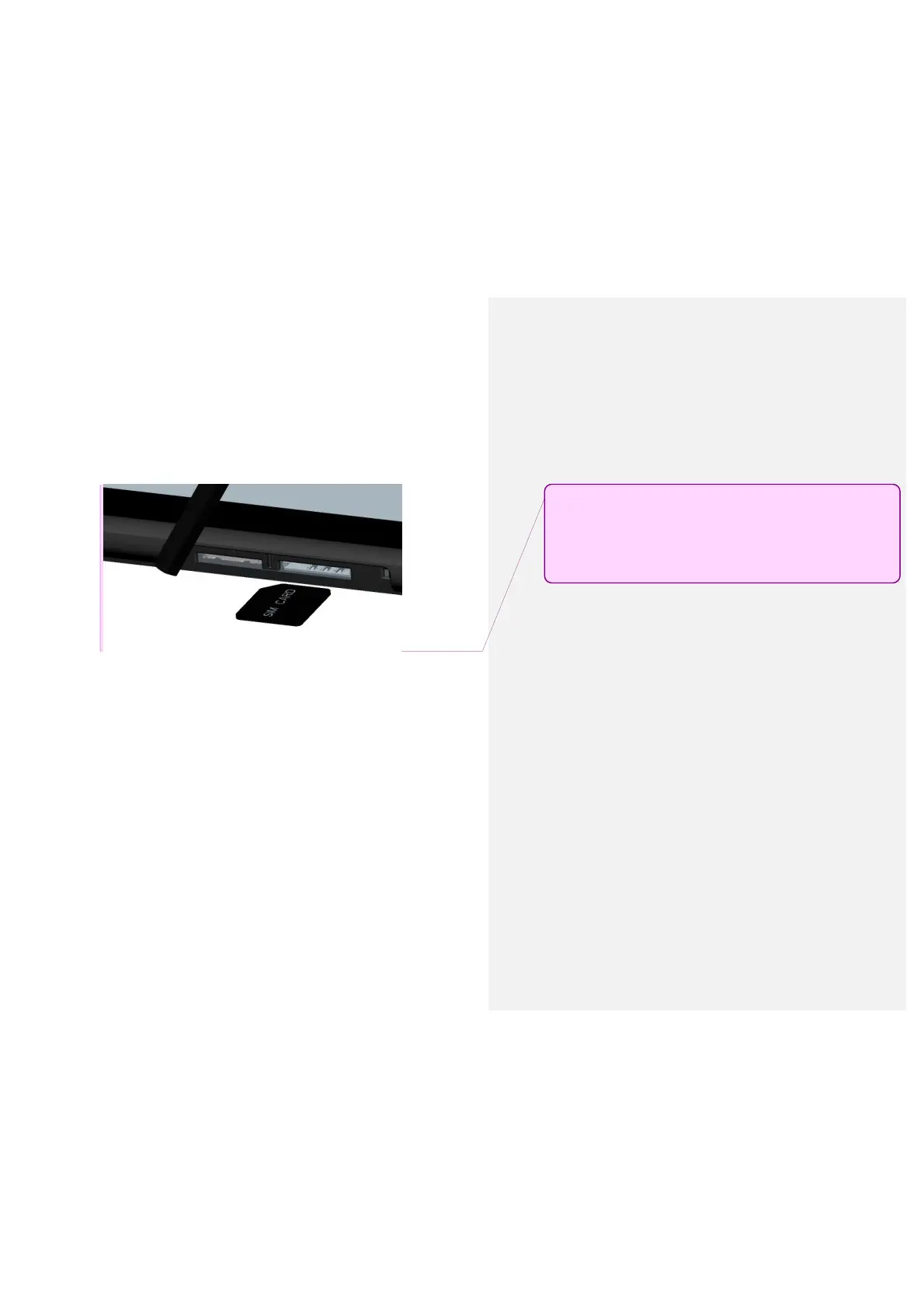
• Open the cover to the SIM card slot and
carefully push the 4G LTE SIM card
inward to release from the slot.
註解 [ ( LJC3 ] : This image will be updated
so that the SIM card is already inserted in
the slot. An arrow will be added to indicate
direction of removal.



 To Next Page