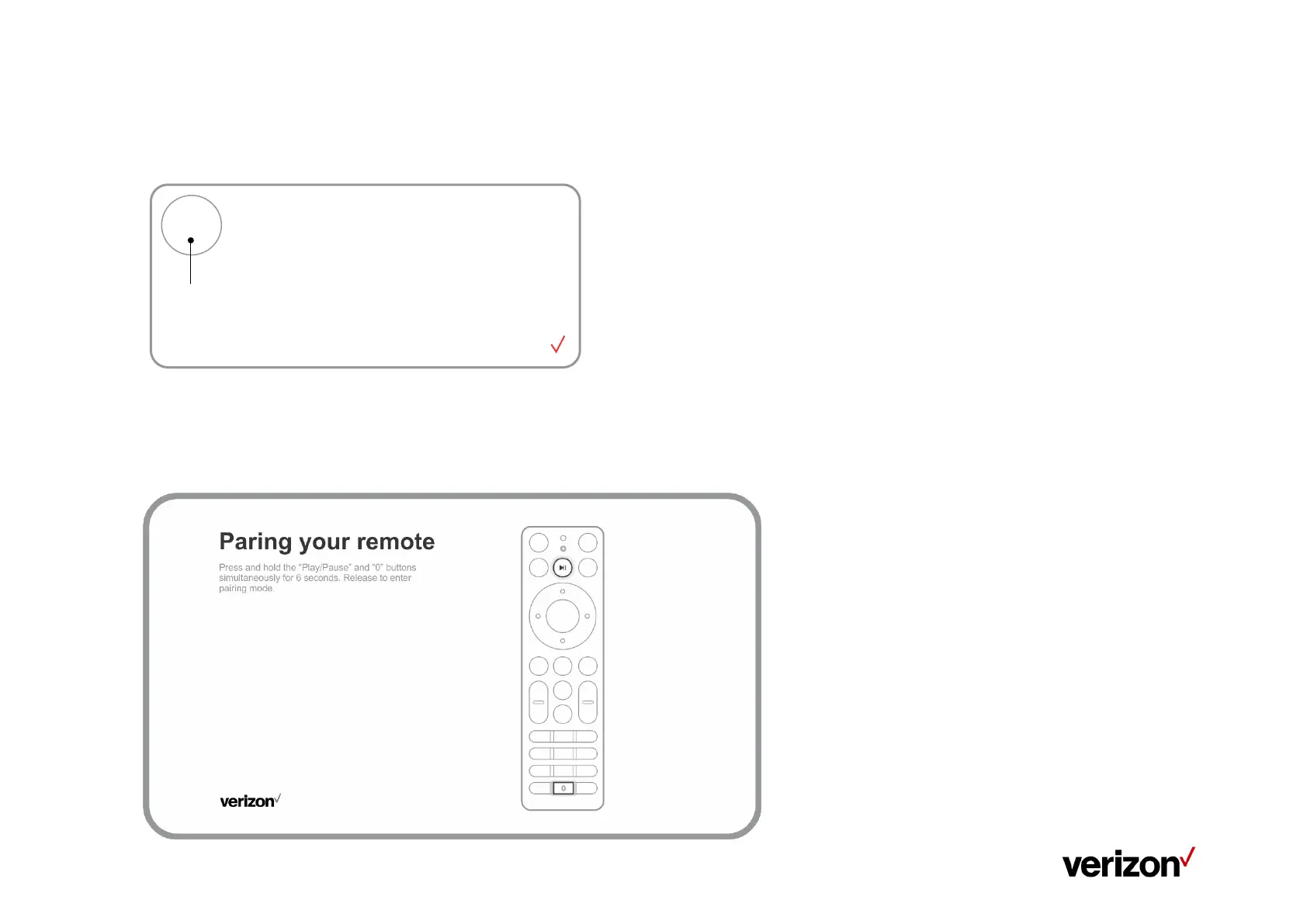
Manually Pairing Your Stream TV Voice Remote
Note: Only needed when replacing previously paired Steam TV Voice Remote
1. Press and hold the Top button for 3 seconds.
2. Press and hold the “Play\Pause” and “0” buttons on remote control simultaneously for 6 seconds.
3. Release the buttons to enter pairing mode.
4. If the 'pairing your remote' screen doesn't display, place the Stream TV in Bluetooth
®
discovery mode with the existing voice
remote or the remote control app.


 To Next Page