27
1. Connect the AC12 to your network using the Ethernet port located at the bottom of the controller.
2. Connect the AC12 power supply to your standard power outlet (100–240VAC).
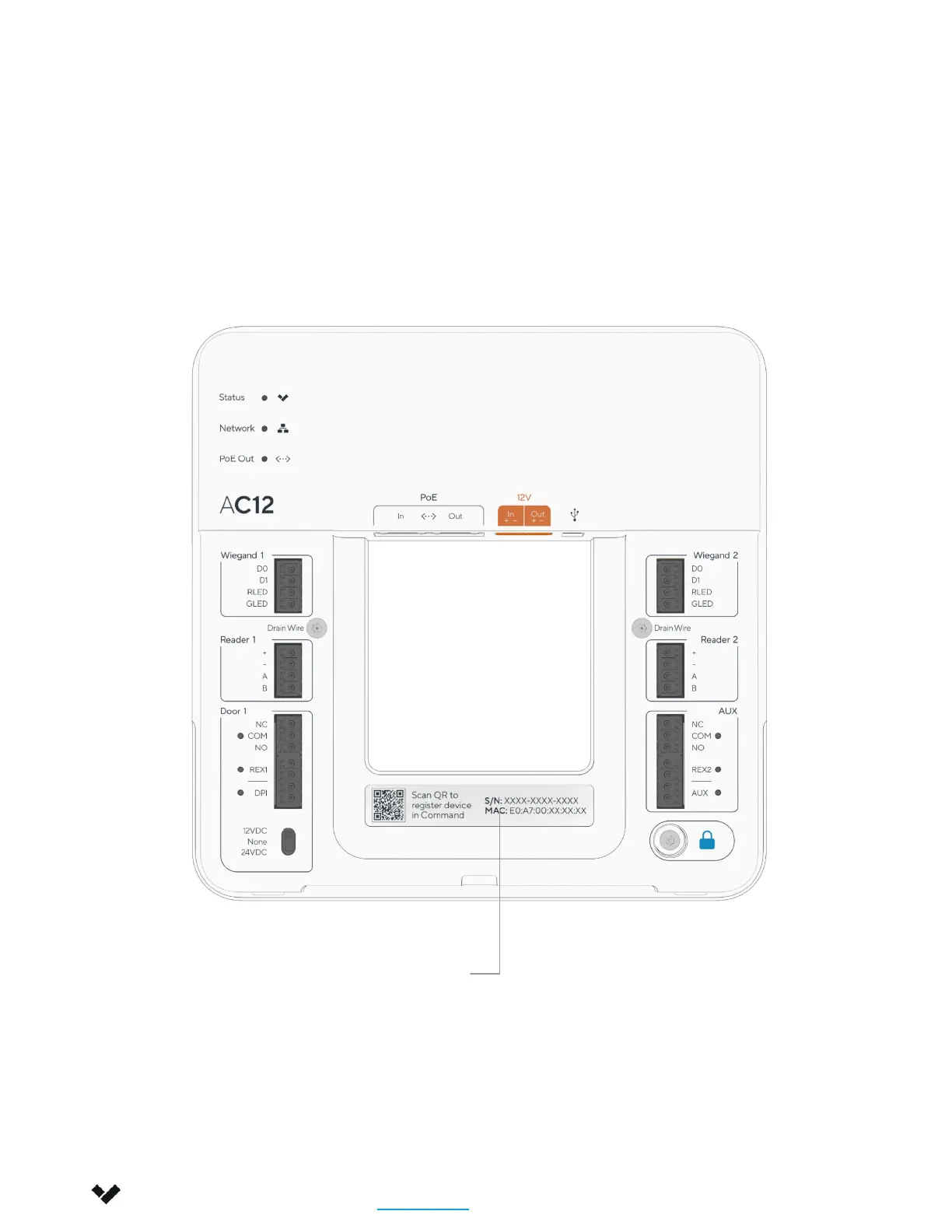
To add the AC12 to your Verkada Command account, enter the serial number printed on the AC inlet (or the
order number) to the Add Device page at command.verkada.com/add-device.
Installation
Registering a Device
Verkada Inc. 406 E 3rd Ave, San Mateo, CA 94401
sales@verkada.com
All specifications are subject to change without notice
Copyright © 2023 Verkada Inc. All rights reserved.
Serial Number
QR Code


 To Next Page