Introduction
9
LED Behavior 2/3
Verkada Inc. 406 E 3rd Ave, San Mateo, CA 94401
sales@verkada.com
All specifications are subject to change without notice
Copyright © 2023 Verkada Inc. All rights reserved.
Solid Orange
Camera is on and booting up.
Flashing Orange
Camera is updating firmware.
Solid Blue
Camera is running, connected,
and recording data.
Flashing Blue
Generic network error. Contact support.
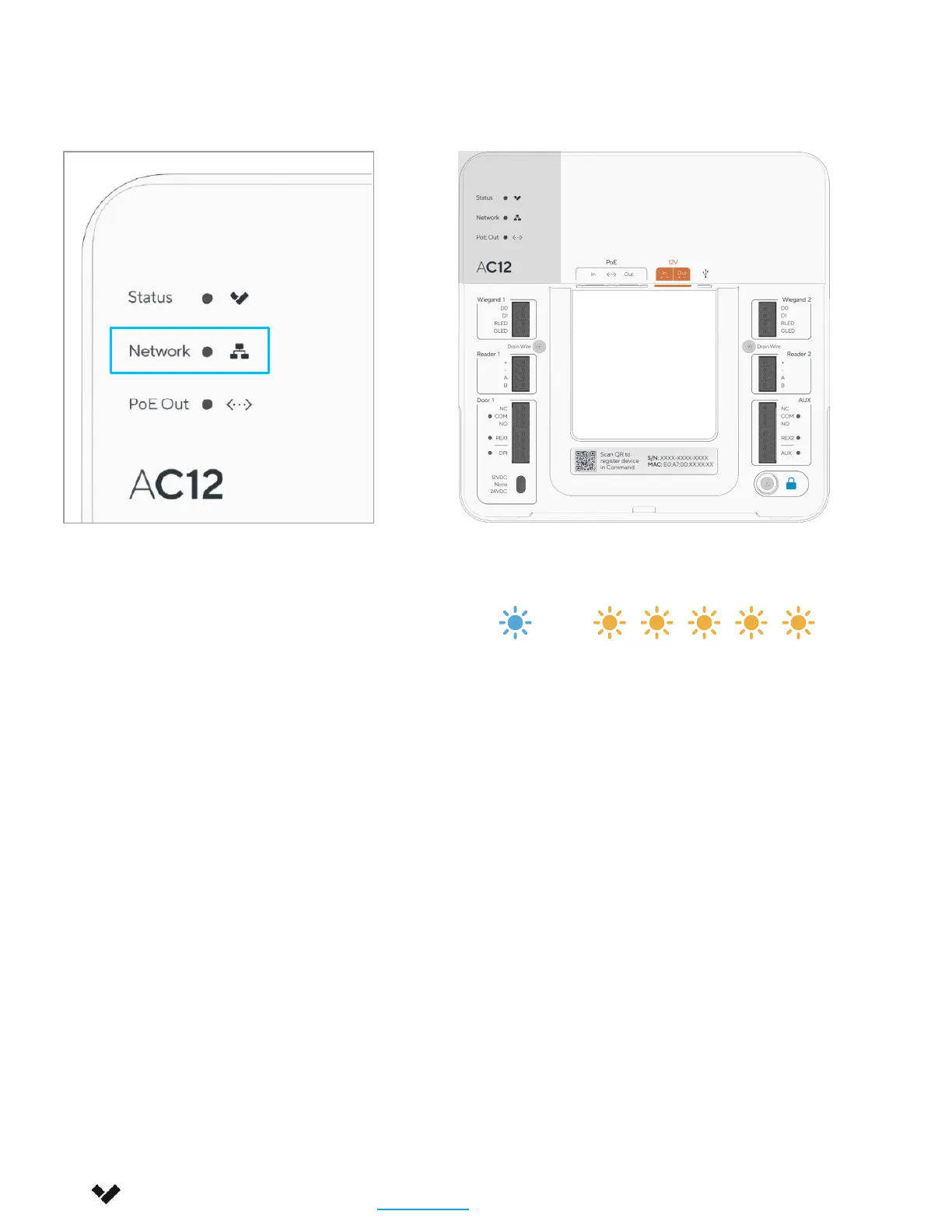
Network LED
1 Blue, 1 Orange
Camera is connected with PoE, but
unable to connect to the switch.
1 Blue, 2 Orange
Camera has not received an IP address.
1 Blue, 3 Orange
Camera is unable reach the configured
Gateway.
1 Blue, 4 Orange
Camera has detected duplicate IP
addresses on the LAN.
The LED will flash in a specific order,
depending on the error state. You will
see 1 blue flash, followed by a number of
orange flashes.
Example of 1 Blue, 5 Orange flash sequence
1 Blue, 5 Orange
Camera is unable to resolve Verkada
hostnames.
1 Blue, 6 Orange
Camera is unable to receive a response
from the NTP Server.
1 Blue, 7 Orange
Camera is unable to certify the SSL
connection, likely due to SSL inspection.
1 Blue, 8 Orange
Verkada endpoints are unreachable
after boot up.
–


 To Next Page
 Loading...